
Gadgets
Which Samsung Phone Has The Largest Screen?

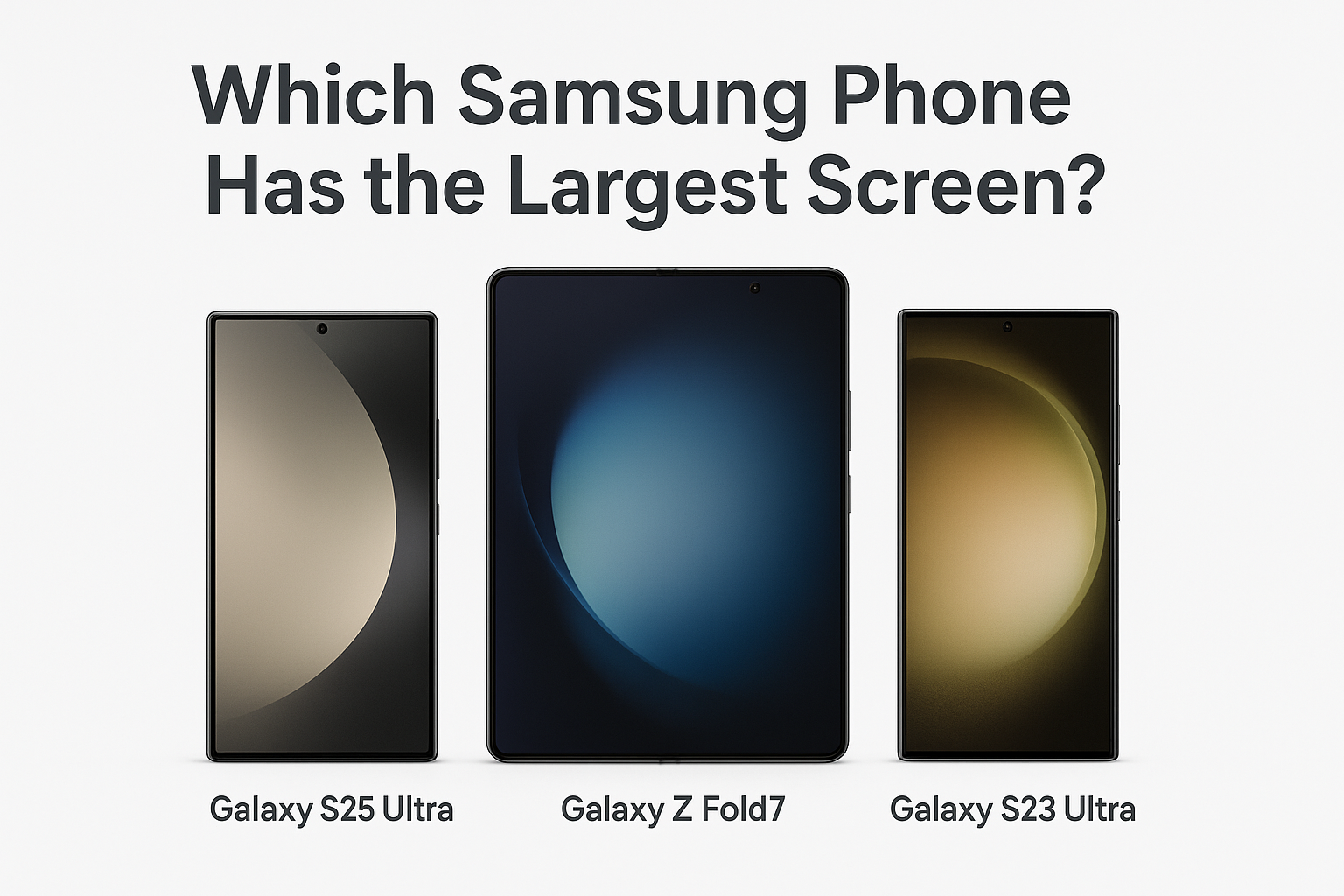
Large screen size matters, especially in a world where our smartphones are more than just a tool for communication. We stream movies on them, edit documents at any location with them, attend conferences and meeting with them and even learn skills with them. Samsung has advanced in offering smartphones that literally screams luxury and comfort, from curved-edge display and now to foldable tech.
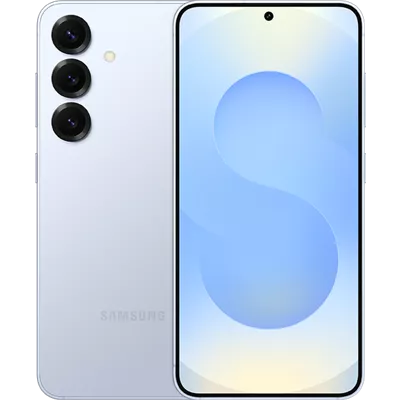
WHY SAMSUNG? – SAMSUNG ROLE IN PUSHING LARGE SCREEN PHONES
Have you seen a Samsung Galaxy phone? It is isn’t just a phone- it is a reality of many dreams. The technology display in Samsung is not just advanced it’s a beautiful experience. Samsung pioneered AMOLED screens, they invented folds, rolls and even transparent displays. Their products are known to be pushing technology to what screens can be. Let me take you through a summary of Samsung inventions thus far, in addition to their Pros and Cons:
AMOLED
Have you ever been blown away by the awesome screen quality of Samsung smartphone? If yes, then you have experienced the magic of AMOLED technology. AMOLED is an acronym that stands for Active Matrix Organic Light-Emitting Diode. This powerful technology is one sole reasons for Samsung’s brilliant screen displays. So, what else should you know about AMOLED? Why does Samsung use it? Let’s consider the answer to these questions.
WHAT YOU SHOULD KNOW ABOUT THE AMOLED REVOLUTION
Galaxy S series, was first invented in 2010. It is the first smartphone to have a display with super AMOLED. It had brighter pixels. It was more power-efficient, it had brighter pixels and more crisper than the regular LCDs.
But that first invention 2010, was the beginning of greater inventions. Over the years, Samsung has been bettering and refining technology with more innovations for better screen quality, like the Super AMOLED, Dynamic AMOLED, AMOLED X2 , HDR10+ and the 120Hz refresh rates, which makes scrolling buttery interesting, and the HDR10+. It is safe to say that, Samsung has turned smartphone experience into a dynamic, unendingly-
smooth, interesting reality.
PROS OF AMOLED ON SAMSUNG SMARTPHONES
- Infinite contrast: With AMOLED pixels can turn off when displaying pictures that are black, giving you true black levels. This feature, makes allows you enjoy your videos and games even more.
- VISUALS IN CLEAR COLOURS: The AMOLED displays colours in a saturated vibrant pattern. For example, colour red looks really punch, colour green pops so brilliantly, yellow looks radiant- colours come alive. When you compare the quality an AMOLED offer with an LCD, the difference is magnificently clear.
- BETTER AND FASTER REFRESH & TOUCH RATE
Your scrolling experience just got better and smoother.
- SAVES BATTERY
Each pixel lights up independently, which means that the AMOLED display use less power when displaying dark colours. Hence, if you use features like Dark Mode, you will save even more battery.
Read also: How To Record a Phone Call On Iphone
CONS OF AMOLED ON SAMSUNG SMARTPHONES
Everything that have advantages also have at one disadvantage. Here are some cons of the AMOLED technology.
- Colours can become over-saturated or unnatural.
- Because of its complex nature, if the AMOLED panel breaks, it is very expensive to repair.
The AMOLED technology plays a major role in making Samsung smartphones feel and look glamourous. For most users, the advantages of the AMOLED technology, outweigh the disadvantages.
- VARIETY STYLES OF SCREENS THAT SCREAMS CLASS
Samsung has different styles of screen that gives your smartphone that luxurious look. They have made them even sleeker than ever. It began with the Edge display – that gives the curvy look on the sides. Then came the invention of Infinity Display, that gives smart phone users extra screen with any extra phone size. These creative designs of phones, gives smartphone modern aesthetic that scream class, and elegance.
- THE STYLUS PEN (S PEN)

In 2011, when the Galaxy Note was invented, bigger screens met the defined-tipped stylus pen (S Pen). It uses Bluetooth controls that make the stylus even more powerful. The S Pen is Samsung’s smart invention tool for creative smartphone users. It works with Galaxy Note, Galaxy S Ultra, Galaxy Tablet and a few more. It is used for:
- Digital drawing
- Easy note- taking
- Other interactions, and next-level interaction.
PROS OF THE S PEN
- Take Note with Ease
The S-Pen allows you to take with ease, even when your screen is off. Mind-blowing, right? It is a perfect tool for meetings, lectures and quick personal jottings.
3.Control Your Smart Phone with Ease
Just with a click or by waving the pen in the air (as if you are making a wish with a fairy stick), you can take selfies, flip slides or control music.
- Ease Productivity
With the S-Pen, work is faster and done with ease. You can use the pen to:
- Annotate on screenshots.
- Get instant translation on texts by hovering over it.
- Magnify texts or images on screen with having to pinch to zoom or touch it.
With each generation, Samsung has reduced the input delay. On the Galaxy S24 Ultra, latency is so low that writing feels almost as immediate as pen on paper.
CONS OF THE S PEN
- The S-Pen does not support all third-party apps usage.
- Because it small, it can be easily misplaced.
- Some first-time users find it challenging to use it well.
- Some Bluetooth-enabled S-Pens usually need to be changed from time-to-time.
The S Pen is one of Samsung’s greatest innovations. It is blend of efficiency and creativity. It is especially more useful for note-taking, drawing and multi-tasking.
- SMARTPHONE DESIGN IN FOLDS
Samsung made another mind-blowing device in 2018- the infinity flex display, a screen that can fold, unfold and bend. This particular design makes multitasking easier. Its size is pocketable because of its form. For example, the Galaxy Z Fold series, can display in tablet-size when open and can be pocketed when it is folded.
On the other hand, the Galaxy Z Flip, has a ultra-thin glass layer, with its sleep clamshell fold. It can bend and function just right. The Samsung smartphones fold, is a gamechanger for all smart phones put together.
- SMARTPHONES THAT ARE ROLLABLE.
Today, Samsung is on its way to innovate the Galaxy X Roll, that expands up to 12.4-inches. That size is above the size of phones and tablets in the market. It is also above the size of some small TV. It is not big for nothing. The features of the new innovation, are mind-blowing. This is a step beyond their foldable smartphones.
Pros of Samsung Rollable Smart Phones
- Expand your smartphone with crease because you can just roll in and out seamlessly.
- Makes multitasking fun and interesting.
- Improves productivity.
- Adjusts scream automatically.
- It stands out among all innovations on mobile designs.
Cons of Samsung Rollable Smart Phones
- Concerns on durability: A Galaxy Fold 4 user, said “I had to replace my phone screen on my Fold three times in less than twelve months (1 year) – definitely I won’t buy a rollable.”
- Bulky smart-build with smaller battery.
- Mechanical complexity
- It will be very expensive
- Currently selectively available as it is still in its patent stage.
With the Samsung’s rollable smartphones, the future is today and looks tantalizing. It will make productivity even easier. But with that promise comes challenges as its durability among other things is of concern to many.
- SMARTER AND THINNER MODELS WITH THE OLED INNOVATIONS
The Samsung Display continues to get better with different innovations behind the scenes. Their current OLED panels, showcased this year at the Mobile World Congress was another wonder is another wonder to experience. It hits about 3,000 nits regular brightness, along with 5,000 nits’ peak brightness with a slimmer and more film design. The OLED innovation, is especially designed to aid the Samsung folds and rollable smartphone that need better visibility and battery capacity. Let’s quickly unpack the Pros and the Cons of this innovation.
Pros of Samsung OLED Innovations
- It offers you brilliant and clear displays with Samsung’s QD-OLED technology.
- Colour accuracy at its peak.
- Slimmer and sleeker design.
- Fast responses to gameplay.
- OLED screens are durable.
Cons of Samsung OLED Innovations
- Concerns of panel inconsistences.
- Concerns for burn-in and life-span.
- High cost
- Low availability
- Power consumption may still surpass the regular LCDs.
The 2025, Samsung’s OLED innovation, with QD-OLED brightness and foldable displays is an ongoing gamechanger. It is for gamers, movie lovers, and creators. Yet, it comes with challenges such as high cost and burn-in.
WHY SAMSUNG PHONE SCREEN SIZE MATTER
Going for a large screen phone has gone beyond luxury, it is more about the experience. If you have ever held a Galaxy Ultra model of Samsung in your hand, you probably understand what I mean. Personally, I used to be an advocator of small, handy phones for comfort, but my whole perception of big screen smartphones changed when I held a Samsung Galaxy S25 Ultra- my digital life totally changed.
Of course, larger phone screens have their own cons. But the Pros outweigh the Cons. Here are some of the Pros of using a large Samsung screen phone: is what I mean:
- EFFICIENCY: Large phone screen makes productivity easier. Easier multitasking with Samsung DeX.
- EYE FRIENDLY: Larger font size and icons, making it much easier and friendlier for users, especially for those with vision challenges. Larger screens reduces eye strain, and allows easy navigation.
- OPEN-DOORS TO LIMITLESS CREATIVITY: Designers and artists benefit by using a larger screen. Larger screen enables them to draw and edit better.
- ENTERTAINMENT: Larger screens bring to life, movies, games and other visuals to life. You will literally feel like you are in a ‘mini-theatre’.
- SOFTWARE COMPATILITY: Samsung large screen phones are highly software-compatible. You can link your accounts with other Samsung devices.
A large Samsung smartphone screen is beyond its size. It is more about the experience. It offers flexibility, efficiency and daily productivity. Go for a larger Samsung screen, and your eyes will thank you for it. What though should you consider before going for a large Samsung screen phone?
FACTORS TO CONSIDER BEFORE GOING FOR A LARGE SCREEN PHONE
Take it from someone who has experience both portable and large screen Samsung phone, the large screens are simply the best. They are the most productivity-friendly and powerful devices ever. But before you head to get yours, there are some factors you should consider.
- PROBALITY: Large phones are heavier and harder to pocket. Can you handle the bulk? For example, the Samsung’s Ultra series phones are both hefty and tall. So, if you are someone that values probability you may want to think twice.
- PURPOSE: Why do you need a large screen Samsung smartphone? Is it for work, entertainment, or for gaming? Identifying the purpose of getting a large screen phone will make it an easier decision to make. If you will like a big screen phone for efficiency, and creativity, or entertainment, then a large screen models of Samsung, Galaxy Z Fold 7 or the Galaxy S25 would great for you.
- BUDGET: The bigger the screen, the bigger the money. Not always correct though. But large screen Samsung phones, cost more than the regular portable smartphones. For example, the Galaxy S25 Ultra and Z Fold 7 are the real luxury devices, costing around $1,200 to $1,800. Sometimes though, the Samsung Galaxy F36 or A55 offer big screen. These models are great for casual users. So, what’s your budget?
WHO NEEDS A SAMSUNG LARGE SCREEN PHONE
A large screen is great for:
- Official purposes. If you handle emails, work with or on spreadsheets, or documents from your phone. Then yes, a large screen smartphone is for you.
- People who use stylus to work.
- A gamer. Large screens bring the game to life. Imagine playing soccer games like, Soccer Stars on a large screen. Just wow!
- Movie lovers: If you someone who watch a lot of videos or stream movies, then you need a large screen.
- DURABLE LIFE AND LONGEVITY
Unlike portable screen phones, large screen phones drain more battery and require extra battery care- especially when gaming or running multiple apps. Big phones require big batteries. Samsung products understand that. Samsung’s battery optimization feature has advanced over the years. For instance, the Galaxy S25 Ultra, packs in a 5,000mAh cell.
So, ask yourself:
- Am I usually away charger all day?
- Do you use high-performing games or apps?
Although, newer foldable models like Z Fold 7 use efficient LTPO battery panels, which increase battery longevity.
- DURABLITY OF PHONE
Larger screen phones are highly vulnerable to crack and break.
Ask yourself:
- Do you have kids that are usually play around your phone?
- Do you work in a rough environment?
- Do you easily make the mistake of dropping your phone?
If you answer Yes to any of the above questions, then durability should be of concern to you. Here are some protection kits you can get to protect your large screen:
- Gorilla Glass Victus 2 Go for Gorilla Glass Victus 2 or newer screen protection.
- Samsung Care + or a warranty plan.
- Screen protector or rugged screen case.
LIST OF SAMSUNG PHONES WITH THE LARGEST SCREEN
- Galaxy X Series
- Galaxy A series
- Galaxy S25 ultra
- Galaxy Z fold 5
- Galaxy Z fold 6
- Galaxy Z fold 7
AN OVERVIEW OF THE SAMSUNG PHONES WITH THE LARGEST SCREEN
GALAXY S25 ULTRA

The Galaxy S25 Ultra, released in 2025, is a 6.9-inch Dynamic LTPO AMOLED 2X display. It is the largest large screen Samsung, non-folding phones. It has the following unique highlights:
- Industry-best brightness.
- One of the best glass durability.
- Ultra-smooth 120 Hz refresh rate.
- S-pen support. This particular feature, makes the Galaxy S25 Ultra the best for creative minds.
Check Current Deals On Amazon Before Prices Change
GALAXY Z FOLD 5

Released in 2023, the Galaxy Z Fold 5, offers a 7.6-inch Dynamic AMOLED 2X main display when unfolded with cover screen of 6.2 inches.
Check Current Deals On Amazon Before Prices Change
GALAXY Z FOLD 6

The Galaxy Z Fold 6 was released in 2024. It is large screen phone of 7.6-inch main panel, 2600-nits peak brightness, Dynamic 6 LTPO AMOLED 2X.
Check Current Deals On Amazon Before Prices Change
GALAXY FOLD 7

Released in 2025, Galaxy Z Fold tops the large screen chart with an 8.0-inch, Dynamic LTPO AMOLED 2X display when unfolded. It is a 6.5 inch exterior screen.
Check Current Deals On Amazon Before Prices Change
GALAXY S SERIES

Looking for a large screen with a combination of power, class and design? Then the Galaxy S Series is the one for you. It is ideal for persons who do not like the fold model.
Check Current Deals On Amazon Before Prices Change
Our Recommendations
As you can see, these are the Samsung phones with the largest screens, but here’s our recommendation based on user reviews, the ones we have used and durability:
- If you want the largest Samsung screen phone today? We suggest you go with the Galaxy Z Fold 7—it is exactly bigger when it matters.
- Do you prefer the regular but with style? The S25 Ultra presents you with all the display space that you need.
- Or are looking for something just in-between? The Z Fold 6 or Z Flip 7 mix of everything good in both size and form.
WHICH SAMSUNG PHONE HAS THE LARGEST SCREEN
As of September 5, 2025, the largest screen among all Samsung phones is the Galaxy Z Fold 7, with the highlights, of an expansive 8.0-inch unfolded display and unmatched multi-tasking features. The Samsung Galaxy Z fold is not just about size, it a statement. It is the most versatile large screen.
HILIGHTED-FEATURES OF SAMSUNG Z FOLD 7
- Biggest screen among all other Samsung phone, be it, folded, unfolded, and flat-screen.
- The Samsung Z fold 7 is packed with ideal features for demanding tasks, high-end specs like: Snapdragon 8 Elite chip, 2600-nitsbrightness, 120 Hz, 12-16GB RAM capacity.
- Highest resolution of 2176 X 1812 pixels.
- Foldable AMOLED 2X
- Multitasking at its peak: you can open up 3 apps side by side.
- Flexibility, combined with portability and versatility.
- Enhanced with physical display of 5 inches.
- Water resistance.
- Gorilla glass ceramic 2.
COST OF SAMSUNG’S LARGEST SCREEN PHONE
The cost of The Samsung Galaxy Z fold 7 as revealed at the unpacked even on the 9th of July 2025, is at follows:
- The cost of 256GB/12 GB RAM is $1,999.
- The cost for that of 512 GB/ 2 GB RAM is $2,119.
- The cost for 1 TB / 16 GB RAM is $2,419
Different markets, however sale based on their local currencies. For example, in:
- In the United Kingdom: Starts at £1,799, with bigger models at the cost of £1,899 for 512 GB.
- In Australia: AU$2,899 (256 GB), to AU$3,099 (512 GB) and then AU$3,549 for a 1 TB.
What Customers Say About Samsung Phone That Has The Largest Screen
Mike Says:
“Just picked up the Fold 7 and I’m honestly loving it so far. The first thing that stood out to me is how much slimmer it feels … The big inner display is gorgeous and makes multitasking feel natural…”
Segun says:
“Been using the z fold 7 since the end of July and I really have no complaints with this phone so far. … I love multitasking on this thing. … having my Google sheets spreadsheet split screen with my banking apps … it just really takes portable productivity to another level.”
Jakes Says:
”The cover screen is now 6.5” and more usable; the inner display is 8” and more like a mini-tablet”.
Ben Says:
“I really want the Z Fold 7 but after all the research … it sounds like it’s a slight downgrade. … If that bigger screen isn’t as big of a draw for you then it might not be worth all the little downgrades.”
Dan Says:
“The paint is peeling off … owners are sharing photos … the surface anodised layer peels off … this is a real faux pas for a phone that costs more.”
THE LARGEST SCREEN SAMSUNG PHONE: BEYOND 2025
Samsung is not relaxing on their reputation for greatness. “The future is rollable”, as suggested by Technology enthusiasts. They are looking at manufacturing a phone of 12.4-inch rollable display. If this comes into reality, it will definitely, totally, redefine what “the largest Samsung screen” means.
Which Samsung phone has the largest screen? The current Samsung’s largest screen phone is the Samsung Galaxy Z Fold 7. It has an unmatched 8.0-inch main screen display. It is Samsung’s most sophisticated, yet balanced innovation, thus far. This innovation blurs the line between a tablet and a smartphone.
FAQS ON WHICH SAMSUNG PHONE HAS THE LARGEST SCRREN?
FAQ 1: Which of the Samsung phone has the largest screen in 2025?
As of today, September 2025, the Samsung Galaxy Z Fold takes the crown home with its 7.6-inches Dynamic AMOLED 2X technology and 20 Hz refresh rate.
FAQ 2: How does the Z Fold 7 compare to other large Samsung phones?
The Samsung’s Galaxy S25 Ultra comes with a large and powerful display with quite interesting features but it is no match to Samsung’s largest screen- the Galaxy Z Fold 7.
FAQ 3: Is the Samsung’s Galaxy Z Fold 7, bigger than an actual tablet?
Not really, but it comes close. It is just slightly smaller than a Mini iPad, with its 7.6-inch display.
FAQ 4: What are the downsides of large-screen Samsung phones?
While having large screen is useful, it comes with some downsides as:
- More power consumpution.
- Bulky and heavy
- Durability
- High cost
✉️ Don’t Miss a Post!
Join our community of smart readers — get the latest updates, expert insights, and exclusive tips delivered straight to your inbox.
👇 Subscribe now — it’s free!
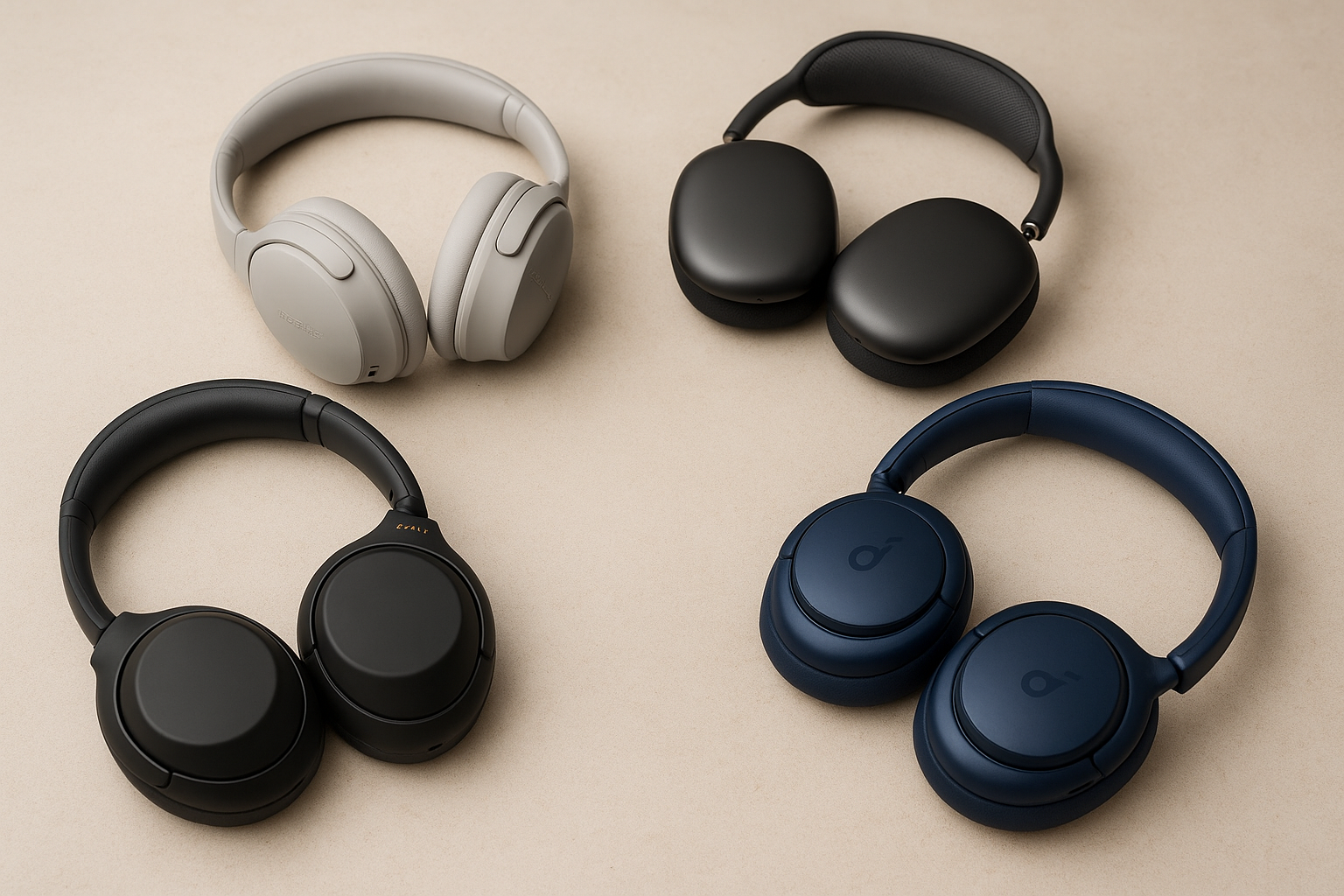
Noise-canceling headphones have become a necessary device as individuals cope with continuous noise from travel, remote work, commuting, and crowded living areas. These headphones are powered by sophisticated Active Noise Cancellation (ANC) technology, which uses smart processors and microphones to instantly filter out unwanted background noise. Whether they’re working, studying, traveling, or unwinding at home, this enables customers to concentrate better, hear clearer music, and have better call quality.
It might be difficult to choose the best noise-canceling headphones because there are so many options available, ranging from high-end brands like Sony, Bose, and Apple to more reasonably priced options. The degree of comfort, music quality, noise reduction, and battery life varies throughout models. In order to help you select the ideal pair that suits your demands and budget, this guide to the best noise-canceling headphones in 2025 examines top-rated alternatives based on actual performance and pricing.

What Is Noise Cancellation and How Does It Work?
In order to provide you with sharper audio and improved focus, noise cancelling technology is intended to lessen or remove undesirable background sounds. Noise cancelling headphones actually block outside sounds, which makes them much more effective in noisy settings like offices, busy streets, and airlines, as opposed to standard headphones that only play sound louder to drown out noise.
In order to assess environmental noise in real time and block it before it reaches your ears, modern noise-cancelling headphones use a combination of microphones, processors, and sophisticated algorithms.
Read also: Top Best 4K Security Cameras (Tested & Reviewed)
Active Noise Cancellation (ANC) Explained
The primary characteristic that distinguishes high-end noise-cancelling headphones is Active Noise Cancellation (ANC). Tiny microphones on the exterior and inside of the ear cups are used by ANC headphones to pick up ambient sounds like background chatter, air conditioning noise, and engine hums. The undesired noise is subsequently eliminated by the headphones’ “anti-noise” signal, which is an opposite sound wave.
ANC headphones are perfect for airplanes, public transportation, and workplace settings because of this technology’s exceptional ability to provide low-frequency, steady noises. For a smoother listening experience, sophisticated ANC systems—such as those in high-end models from Sony and Bose—automatically modify noise canceling levels based on your environment.
Passive Noise Isolation vs Active Noise Cancellation
Even though ANC is quite successful, passive noise isolation is also crucial. The physical features of the headphones, such as the padded ear cups that form a seal around your ears, provide passive isolation. Higher-frequency sounds, such as keyboard clicks and voices, are naturally blocked by this.
The best noise-cancelling headphones offer comprehensive noise reduction by combining robust passive isolation with potent ANC. While premium versions offer a well-balanced combination of both technologies for optimal efficacy, budget models could rely more on passive isolation.
Are Noise Cancelling Headphones Safe to Use?
Users frequently wonder if noise-cancelling headphones are safe. The good news is that using ANC headphones on a daily basis is usually safe. They actually let you to listen at lower volumes because they lessen background noise, which over time may help maintain your hearing.
When wearing noise-canceling headphones outside, it’s crucial to pay attention to your surroundings because they can impair situational awareness. You can hear crucial sounds like traffic or announcements without taking off your headphones thanks to the transparency or ambient modes found in the majority of contemporary models.
Our Testing & Selection Criteria
There are many of noise-canceling headphones on the market, but picking the finest ones needs more than just looking at brand names or advertising claims. We assessed every pair of headphones using real-world usage situations and a standard set of performance measurements to make sure this guide offers true value. In 2025, we wanted to find noise-canceling headphones that offer the highest value, performance, and comfort.
The main criteria we utilized to choose and rank the top noise-canceling headphones are listed below.
Noise Cancellation Performance
The degree to which each headset suppressed background noise was the most crucial component in our assessment. We evaluated performance in typical noisy contexts, including offices, bustling streets, and interior spaces with continuous background noise. Higher scores were given to headphones with adaptive ANC, which automatically adjusts to ambient noise. This was especially true for models that performed exceptionally well at handling low-frequency sounds like air conditioners and engine hums.
Sound Quality
Without high-quality audio, great noise cancellation is useless. We evaluated sound quality in a variety of genres, emphasizing crisp highs, clear mids, and balanced bass. Higher rankings were given to headphones that retained outstanding sound quality even when ANC was activated, as this suggests better audio tuning and processing.
Comfort & Fit
Comfort is important because many users wear noise-canceling headphones for extended periods of time. We assessed headband pressure, weight distribution, ear cup padding, and general ergonomics. Priority was given to headphones that did not cause ear fatigue or discomfort during prolonged listening sessions.
Battery Life
Particularly for distant workers and tourists, battery performance is crucial. With ANC turned on, we tested real-world battery life and contrasted it with manufacturer claims. The best models were those that could play for at least 24 hours on a single charge, with rapid charging features earning extra points.
Value for Money
Lastly, we looked at pricing in relation to performance. Although high-end headphones frequently have superior features, we also selected more affordable choices that provide excellent sound quality and noise cancellation at a reduced price. This guarantees that our suggestions fit a variety of needs and budgets.
Best Noise Cancelling Headphones in 2025
The following headphones stand out as the greatest noise-canceling headphones available in 2025 after a thorough analysis and practical assessment. Each of the models listed here performs exceptionally well in a variety of categories, including overall value, comfort, battery life, sound quality, and noise canceling strength. There is something here for everyone, whether you’re looking for a high-end experience or something more affordable.
Sony WH-1000XM5 – Best Overall Noise Cancelling Headphones

For good reason, the Sony WH-1000XM5 frequently appears at the top of lists of the “best noise cancelling headphones.” The XM5 is a great option for travelers, remote workers, and anyone who appreciates immersive sound and comfort because Sony has nearly perfected its ANC technology.
Key Features
-
Industry-leading Active Noise Cancellation
-
Dual processors with multiple noise-sensing microphones
-
30 hours of battery life with ANC enabled
-
Fast charging (3 minutes = up to 3 hours playback)
-
Lightweight, comfortable design
-
Excellent call quality with AI noise reduction
Noise Cancellation Performance
Excellent noise cancellation is provided by the Sony WH-1000XM5, particularly for low-frequency sounds like office hum, highway noise, and jet engines. Whether you’re indoors, outside, or traveling, its adaptive ANC automatically adapts to your surroundings to provide best performance.
Sound Quality
Sony’s sound profile is rich and well-balanced, including detailed highs, clear mids, and deep bass. Even at higher volumes, the audio is clear and the music is immersive without being overbearing. You can alter the EQ to suit your own listening tastes using the companion app.
Comfort & Design
The XM5’s lightweight chassis and plush ear cushions ease pressure on the head and ears during extended listening periods. These headphones are perfect for lengthy flights or long workdays because of their improved headband design, which increases comfort.
Battery Life
With a battery life of up to 30 hours on a single charge (ANC on), the Sony WH-1000XM5 can easily withstand lengthy travels and hectic schedules. When you’re in a rush, the fast-charging feature is quite helpful.
Pros
-
Best-in-class noise cancellation
-
Excellent sound quality
-
Very comfortable for long use
-
Strong battery life with fast charging
Cons
-
Premium price
-
Not water-resistant
Best For
-
Frequent travelers
-
Remote workers and students
-
Users who want the best all-around performance
Verdict
The Sony WH-1000XM5 is the safest and most dependable option if you’re searching for the best noise-canceling headphones available in 2025. It is worth the high cost because it provides superior ANC, great sound, and all-day comfort.
Check Current Deals On Amazon Before Prices Change
Bose QuietComfort Ultra – Best for Comfort

Bose’s longstanding reputation for comfort and effective noise cancellation is upheld by the QuietComfort Ultra. This model is ideal for consumers who wear headphones for long periods of time and want robust ANC without strain or fatigue.
Key Features
-
Excellent Active Noise Cancellation
-
Lightweight and ergonomic design
-
Immersive Audio technology
-
Up to 24 hours battery life
Noise Cancellation Performance
Particularly in settings like offices, cafes, and airlines, Bose provides incredibly reliable noise cancellation. Frequent travelers love it because of how effectively it manages low-frequency and mid-range noise.
Sound Quality
Vocals and podcasts sound great because of the clear, balanced sound profile and slightly enhanced mids. Although Sony may be preferred by bass enthusiasts, Bose provides a highly organic and effortless listening experience.
Comfort & Design
Bose really excels in this situation. Even after prolonged usage, these noise-canceling headphones are among the most pleasant due to their balanced weight, moderate clamping force, and soft ear cushions.
Battery Life
With ANC enabled, you can play for up to 24 hours, which is good for everyday use and travel.
Pros
-
Extremely comfortable
-
Strong and reliable ANC
-
Great for long listening sessions
Cons
-
Battery life slightly lower than competitors
-
Premium price
Best For
-
Office workers
-
Long flights
-
Users who prioritize comfort
Verdict
The Bose QuietComfort Ultra is among the best noise-canceling headphones available if comfort is your main concern.
Check Current Deals On Amazon Before Prices Change
Apple AirPods Max – Best for Apple Users
Those who are very involved in the Apple ecosystem are the target market for the Apple AirPods Max. It integrates seamlessly with all Apple devices and has a high build quality.
Key Features
-
Outstanding ANC and transparency mode
-
Seamless Apple ecosystem integration
-
Spatial Audio with dynamic head tracking
-
Premium aluminum build
Noise Cancellation Performance
Apple’s ANC is superior, competing with Bose and Sony. It complements the industry-leading transparency mode flawlessly and adjusts effectively to various surroundings.
Sound Quality
Particularly when utilizing Spatial Audio on compatible Apple devices, the sound is rich, detailed, and immersive. Calls, movies, and music all sound incredibly clear.
Comfort & Design
The AirPods Max are heavier than most of their rivals, despite their opulent build quality. Long sessions could make it less pleasant for certain people.
Battery Life
ANC and Spatial Audio enabled for up to 20 hours—sufficient but not exceptional.
Pros
-
Best integration for iPhone, iPad, and Mac
-
Excellent sound and ANC
-
Industry-leading transparency mode
Cons
-
Expensive
-
Heavy compared to rivals
Best For
-
Apple users
-
Media consumption and calls
Verdict
The AirPods Max are a great option if you use Apple products and want high-end performance with simple device switching.
Check Current Deals On Amazon Before Prices Change
Sennheiser Momentum 4 – Best Sound Quality

For consumers who prioritize audio quality over all other considerations, the Sennheiser Momentum 4 stands out.
Key Features
-
Excellent sound tuning
-
Strong ANC
-
Massive 60-hour battery life
-
Comfortable and lightweight
Noise Cancellation Performance
The ANC is still highly effective for normal noise and travel conditions, even though it lags somewhat behind Sony and Bose.
Sound Quality
Momentum 4 excels in this situation. Rich, dynamic, and incredibly detailed, the sound is ideal for music enthusiasts and audiophiles.
Battery Life
This is one of the longest-lasting noise-canceling headphones available, with a battery life of up to 60 hours.
Pros
-
Best battery life
-
Superior sound quality
-
Comfortable design
Cons
-
ANC not the absolute strongest
-
Touch controls take time to master
Best For
-
Music lovers
-
Long listening sessions
Verdict
The Sennheiser Momentum 4 is an excellent choice if sound quality and battery life are your top priorities.The Sennheiser Momentum 4 is an excellent choice if sound quality and battery life are your top priorities.
Check Current Deals On Amazon Before Prices Change
Anker Soundcore Life Q35 – Best Budget Noise Cancelling Headphones

The Anker Soundcore Life Q35 offers great performance at a reasonable cost for people on a tighter budget.
Key Features
-
Solid ANC for the price
-
Up to 40 hours battery life
-
LDAC support for better audio quality
-
Lightweight and comfortable
Noise Cancellation Performance
The ANC is not as strong as premium models, but it does a good job reducing everyday noise like traffic and chatter.
Sound Quality
Well-balanced sound with punchy bass, especially after EQ customization via the Soundcore app.
Pros
-
Excellent value for money
-
Long battery life
-
Good sound quality for budget users
Cons
-
ANC less effective in very noisy environments
-
Build feels less premium
Best For
-
Budget buyers
-
First-time ANC users
Verdict
The Anker Soundcore Life Q35 is a hard-to-beat option if you’re looking for reasonably priced noise-canceling headphones that nevertheless function well.
Check Current Deals On Amazon Before Prices Change
Noise Cancelling Headphones vs Earbuds – Which Is Better?
It’s crucial to take your listening habits, comfort preferences, and use cases into account when choosing between noise-canceling headphones and earbuds. Knowing the distinctions between the two solutions can help you make the best choice because each has pros and cons.
Sound Quality Comparison
-
Headphones: Richer, more immersive sound with deeper bass and improved stereo separation is usually provided by over-ear or on-ear noise-cancelling headphones. For music enthusiasts and audiophiles seeking a comprehensive listening experience, they are perfect.
-
Earbuds: Although they are more portable and small, noise-canceling earphones typically offer poorer sound quality, particularly in the low-frequency range. Although they might sound great, high-end earbuds rarely equal over-ear devices in terms of full auditory depth.
Noise Cancellation Strength
-
Headphones: Because the ear cups cover the entire ear and provide a natural seal, over-ear headphones offer greater ANC. More background noise is blocked when active noise cancellation is used in conjunction with passive isolation.
-
Earbuds: Although ANC earbuds are getting better, their ability to block out low-frequency sounds like traffic or airline engines is limited by their smaller size.
Comfort for Long Use
-
Headphones: Bigger ear cups are more pleasant for prolonged listening because they disperse pressure across a larger region. Over-ear variants make long flights, office work, and study sessions simpler.
-
Earbuds: Although earbuds are lightweight and portable, prolonged usage may cause discomfort, particularly if the fit isn’t ideal.
Portability and Convenience
-
Headphones: larger and more difficult to transport, however many fold or have carrying cases. When you don’t need to be very mobile, they work well at home, at work, or on vacation.
-
Earbuds: Pocket-sized, incredibly portable, and perfect for outdoor activities, exercise, and transportation. For usage while traveling, ANC earbuds such as the Sony WF-1000XM5 or AirPods Pro are highly practical.
Price Comparison
-
Headphones: Because of their greater sound quality, larger batteries, and cutting-edge technology, premium ANC headphones are usually more expensive.
-
Earbuds: High-end ANC earbuds can cost as much as mid-tier headphones, although being generally less expensive.
Frequently Asked Questions About Noise Cancelling Headphones
Are noise cancelling headphones worth it?
Yes! If you frequently travel, deal with noisy environments, or wish to enjoy music, podcasts, and calls without interruptions, then investing in noise-canceling headphones is worthwhile. They are especially useful for students, distant workers, and travelers since they increase focus, lessen hearing fatigue, and improve auditory experiences.
How does Active Noise Cancellation (ANC) work?
ANC detects background noise using built-in microphones, then produces “anti-noise” impulses to block it out before it reaches your ears. This works particularly well against continuous low-frequency sounds like air conditioning, traffic, and airline engines. Additionally, a lot of models have adaptive ANC, which automatically adapts to your surroundings.
Can noise cancelling headphones damage hearing?
No. Because they enable you to listen at lower volumes, they can actually protect your hearing. By lowering background noise, you may enjoy music without turning up the volume, which lowers the chance of long-term hearing damage.
Do noise cancelling headphones work without music?
Yes, Music is not necessary for ANC technology to function. Headphones with ANC lower background noise even when no music is playing, creating a more peaceful space for concentration, relaxation, or sleep.
Are noise cancelling headphones good for studying?
Of course. They assist create a focused environment for reading, writing, or online learning by blocking distractions like traffic, chatting, and home sounds. Strong ANC over-ear headphones work especially well for extended study periods.
Which brand has the best noise cancellation?
The best noise cancellation is regularly provided by high-end products like Apple (AirPods Max), Bose (QuietComfort Ultra), and Sony (WH-1000XM5). But affordable and mid-range versions, such as the Anker Soundcore Life Q35 and Sennheiser Momentum 4, also offer good ANC performance at reduced costs.
Can I use noise cancelling headphones for gaming?
Yes, but it’s up to your tastes. For gaming, over-ear headphones with a wired or low-latency Bluetooth connection are perfect. By providing immersive sound and blocking background disturbances, noise-canceling headphones improve gameplay.
How do I clean and maintain noise cancelling headphones?
-
Wipe ear cups and headbands with a soft, dry cloth
-
Avoid moisture on the electronics
-
Store them in a protective case when not in use
-
Keep software/firmware updated if supported
Proper care prolongs battery life and maintains sound quality.
Are ANC earbuds as effective as headphones?
Not exactly. Compared to over-ear headphones, ANC earbuds are more portable, but their smaller size restricts noise cancellation. They may have trouble with low-frequency noises like airplane engines, but they still function effectively under moderate loudness.
How long do noise cancelling headphones last?
The majority of high-end headphones last three to five years or longer with adequate maintenance, however less expensive models could not last as long. Overall lifespan is influenced by battery longevity, build quality, and usage frequency.
Conclusion
Your needs, financial situation, and listening preferences will ultimately determine which noise-canceling headphones are best for you. The Sony WH-1000XM5 features industry-leading noise cancellation, superb sound quality, and long-lasting comfort for consumers looking for the greatest overall performance.
The Bose QuietComfort Ultra is still a dependable option if you want comfort throughout extended sessions. Audiophiles will adore the Sennheiser Momentum 4 for its unparalleled sound clarity, while Apple users will value the AirPods Max for their flawless integration. The Anker Soundcore Life Q35 offers strong ANC and extended battery life without breaking the bank for those on a tight budget.
Investing in a pair of top-notch noise-canceling headphones will improve your listening experience whether you’re traveling, working, studying, or just enjoying music, regardless of the type you select. Discover the greatest offers by clicking on the aforementioned links, and begin enjoying tranquil, engrossing audio right now.
✉️ Don’t Miss a Post!
Join our community of smart readers — get the latest updates, expert insights, and exclusive tips delivered straight to your inbox.
👇 Subscribe now — it’s free!
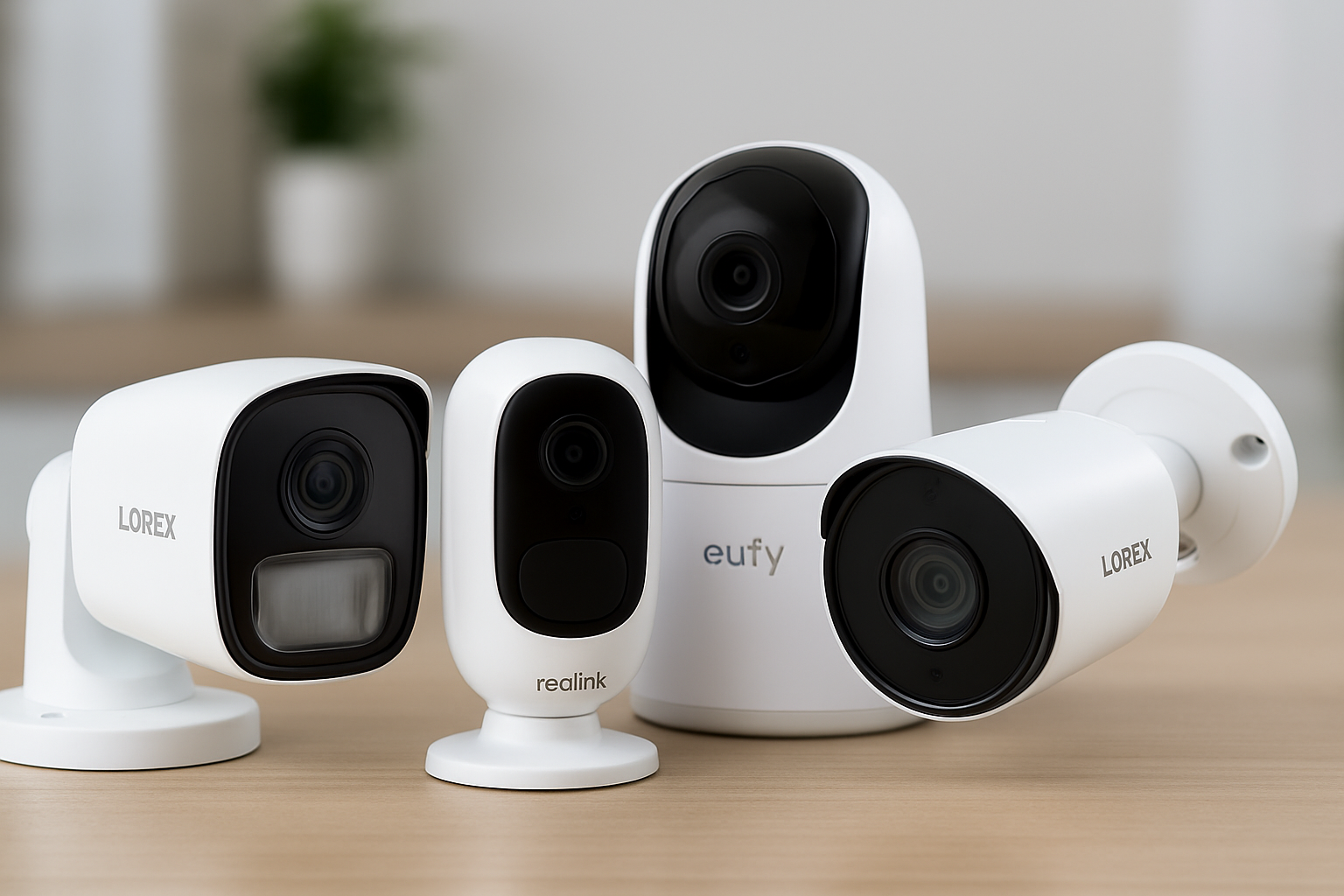
Security cameras have progressed dramatically in recent years, and 4K models now offer some of the clearest and most reliable video available. These cameras’ Ultra-HD resolution makes it simpler to recognize faces, license plates, and motions that lower-resolution cameras would miss by capturing crisper details, improved color accuracy, and clearer night footage.
In this article, we break down the finest 4K security cameras for home and business use, including budget-friendly alternatives, outdoor options, PoE systems, PTZ cameras, and smart Wi-Fi models. This list will assist you in selecting a sturdy, superior camera that meets your security requirements, whether you are purchasing your first surveillance system or looking to upgrade your existing setup.

What Makes a Security Camera ‘4K’?
Four times the resolution of a typical 1080p camera, a 4K security camera is made to record video at Ultra High Definition (UHD), or 3840 x 2160 pixels. This jump in pixel count allows the camera to generate crisper images with finer details, making it easier to zoom in on recordings without losing clarity. With 4K, you can easily discern face characteristics, license plates, clothing details, and other aspects that can appear hazy or unreadable on lower-resolution cameras.
Beyond resolution alone, 4K cameras often come with updated picture sensors, increased HDR (High Dynamic Range), and enhanced night vision capabilities. These technologies help the camera handle low light, shadows, bright outdoor locations, and fast-moving objects more successfully. Compared to 1080p or even 2K cameras, 4K versions provide higher color fidelity, wider viewing angles, and smoother video playback. A 4K security camera offers the level of clarity required for both prevention and evidence gathering for anyone looking for professional-grade surveillance.
Key Features to Look For in a 4K Security Camera
Choosing the appropriate 4K security camera goes beyond merely getting the highest resolution. The top models combine crisp video quality with strong night performance, dependable motion detection, sturdy build quality, and versatile storage options. These are the key characteristics you should consider before making a purchase.
Video Quality & Night Vision
While great resolution is guaranteed by 4K, not all 4K cameras are equally effective in practical settings. Look for cameras with HDR (High Dynamic Range) and excellent night vision so that footage remains clear in both bright and dark environments.
- IR Night Vision: Uses infrared LEDs to capture clear black-and-white images in complete darkness.
- Color Night Vision: Some premium models maintain full color even at night, which makes identifying people and vehicles much easier.
- Frame Rate: For smoother playback, look for 20–30fps (frames per second). Lower fps can cause motion blur.
Lens, Field of View & Zoom
The lens determines how much area the camera can cover.
- A wide field of view (100°–130°) covers more space with fewer cameras.
- Motorized zoom allows you to zoom in without losing clarity—important for reading license plates.
- PTZ (Pan-Tilt-Zoom) cameras let you rotate and zoom remotely, perfect for monitoring larger areas like parking lots or warehouses.
Smart Security Features
Modern 4K cameras often use AI to reduce false alerts and improve accuracy. Useful features include:
- Person and vehicle detection
- Package detection
- Facial recognition (available on some models)
- Smart motion tracking that follows a moving object automatically
Smarter detection means fewer unnecessary notifications and more reliable security.
Storage Options
Storage can significantly affect cost and convenience.
- Cloud Storage: Easy to access remotely but may have monthly fees.
- Local Storage: SD card, NVR, or DVR options offer long-term savings.
- Hybrid systems: Allow both cloud and local backup for extra protection.
If you prefer continuous recording, look for cameras compatible with NVR systems.
Connectivity & Compatibility
4K cameras come in different connection types:
- Wi-Fi Cameras: Easier to install and ideal for indoor/outdoor homes.
- PoE (Power over Ethernet): Provides stable, wired power and data—great for businesses or long-distance setups.
Also check compatibility with:
- Alexa
- Google Home
- Apple HomeKit
- Mobile apps for remote viewing
Weather Resistance & Durability
If you plan to mount the camera outdoors, ensure it has a strong weather rating.
- IP66 or IP67 ratings indicate protection against heavy rain, dust, and harsh conditions.
- A durable metal housing is better than plastic for long-term outdoor use.
Price & Warranty
4K cameras vary widely in price, from budget-friendly single units to premium NVR systems. Before buying, make sure the camera offers:
- A reasonable price for the features
- At least 1–2 years warranty
- Reliable customer support
This ensures long-term performance and peace of mind.
Top Best 4K Security Cameras (Top Picks)
Lorex 4K PoE Bullet Security Camera

Overview:
The Lorex 4K PoE Bullet Camera is built for reliable, hard-wired surveillance. Designed for both outdoor and indoor installations, it provides continuous recording with superior weatherproof durability.
Key Features:
- 4K Ultra-HD resolution
- IP66 weatherproof rating
- Continuous recording via PoE
- Wide field of view
- Motion detection alerts
Performance:
The camera produces excellent 4K video with little delay. Motion detection is accurate, and night vision is clear. The connected PoE connection offers reliable, uninterrupted video, making it suited for long-term monitoring.
Installation & Setup:
requires the use of an Ethernet wire for data and power. Setup with an NVR system is basic for anyone experienced with wired security systems. Remote access is provided via the Lorex app.
Pros:
- 4K Ultra-HD video quality
- Weatherproof and durable
- Continuous recording with PoE stability
Cons:
- Professional or semi-professional installation needed
- Less flexible placement than wireless cameras
Ideal For: Businesses or homeowners seeking reliable, always-on outdoor surveillance.
Check Current Deals On Amazon Before Prices Change
Arlo Ultra 2 (4K HDR)

Overview:
The Arlo Ultra 2 delivers premium 4K HDR video with a wide field of view and advanced smart detection features. It integrates seamlessly with smart-home systems, making it ideal for tech-savvy users.
Key Features:
- 4K HDR resolution
- 180° field of view
- Smart detection (people, vehicles, animals)
- Two-way audio
- Works with Alexa, Google Home, Apple HomeKit
Performance:
Provides clear and vibrant 4K images, even in challenging lighting conditions. Motion detection is highly accurate, and the smart alerts reduce false alarms. Integration with smart-home assistants allows hands-free control.
Installation & Setup:
Wireless design makes installation simple. Mounting is easy with included hardware. The Arlo app provides full control, including live streaming and cloud recording options.
Pros:
- Premium 4K HDR quality
- Wide coverage area
- Smart detection reduces false alerts
- Seamless smart-home integration
Cons:
- Expensive compared to other 4K cameras
- Full features may require subscription
Ideal For: Smart-home enthusiasts or large properties requiring high-end coverage with advanced automation.
Check Current Deals On Amazon Before Prices Change
Swann PRO‑4KMSB 4K CCTV System

Overview:
A cost-effective multi-camera solution for complete property surveillance is the Swann PRO 4KMSB system. It combines local recording, long-range night vision, and several 4K cameras.
Key Features:
- 4K Ultra-HD resolution
- Multi-camera setup (4–8 cameras depending on kit)
- Long-range night vision
- Local storage (NVR included)
Performance:
Video clarity is amazing considering the price. The multi-camera system enables complete perimeter coverage, and night vision is effective at extended distances. Motion detection is reliable, yet less advanced than AI-based smart cameras.
Installation & Setup:
Wired setup is required, however the bundled NVR simplifies central recording and management. Ideal for customers who want to monitor many locations without ongoing membership payments.
Pros:
- Affordable multi-camera system
- Long-range night vision
- Local storage, no subscription required
Cons:
- Wired installation required
- Lacks advanced smart detection features
Ideal For: Budget-conscious users needing full home or business coverage with multiple cameras
Check Current Deals On Amazon Before Prices Change
Reolink Hybrid 4K Cameras

Overview:
Reolink offers hybrid setups with both wired PoE and wireless 4K cameras, allowing a mix-and-match installation to suit different needs. This provides flexibility while maintaining high-resolution video quality.
Key Features:
- 4K Ultra-HD resolution
- Wired PoE or wireless options
- Smart motion detection
- Local storage supported
Performance:
Video quality is sharp and consistent across both wired and wireless models. Motion alerts are accurate, and hybrid deployment allows coverage in challenging areas where wiring may not be practical.
Installation & Setup:
Flexible installation; wired cameras connect to an NVR, wireless cameras can be mounted anywhere. All cameras are managed via a single app for live view and alerts.
Pros:
- Flexible wired and wireless options
- 4K Ultra-HD clarity
- Smart detection features
- Supports local storage
Cons:
- Mixed system setup may be more complex
- Wireless models have limited battery life
Ideal For: Users who want the flexibility to deploy a combination of wired and wireless cameras across a property.
Check Current Deals On Amazon Before Prices Change
Eufy S350 Indoor Dual-Cam 4K

Overview:
The Eufy S350 Indoor Dual-Cam is designed for complete indoor monitoring. It offers pan/tilt/zoom capabilities mixed with 4K clarity for capturing fine details in rooms and huge indoor settings.
Key Features:
-
4K Ultra-HD resolution
-
Pan/tilt/zoom coverage
-
Motion detection alerts
-
Two-way audio
Performance:
Provides crisp, detailed visuals and seamless tracking of moving objects. Perfect for keeping an eye on kids, animals, or valuables. PTZ technology allows you to cover the entire room without multiple cameras.
Installation & Setup:
Indoor installation is easy, and the app allows remote viewing and notifications. No complex wiring is required.
Pros:
-
High-resolution 4K images
-
PTZ coverage
-
Easy to set up and manage
Cons:
-
Indoor use only
-
No spotlight for night recording
Ideal For: Apartments, living rooms, or other indoor spaces requiring wide coverage and detailed monitoring.
Check Current Deals On Amazon Before Prices Change
Reolink Argus 3 Ultra 4K
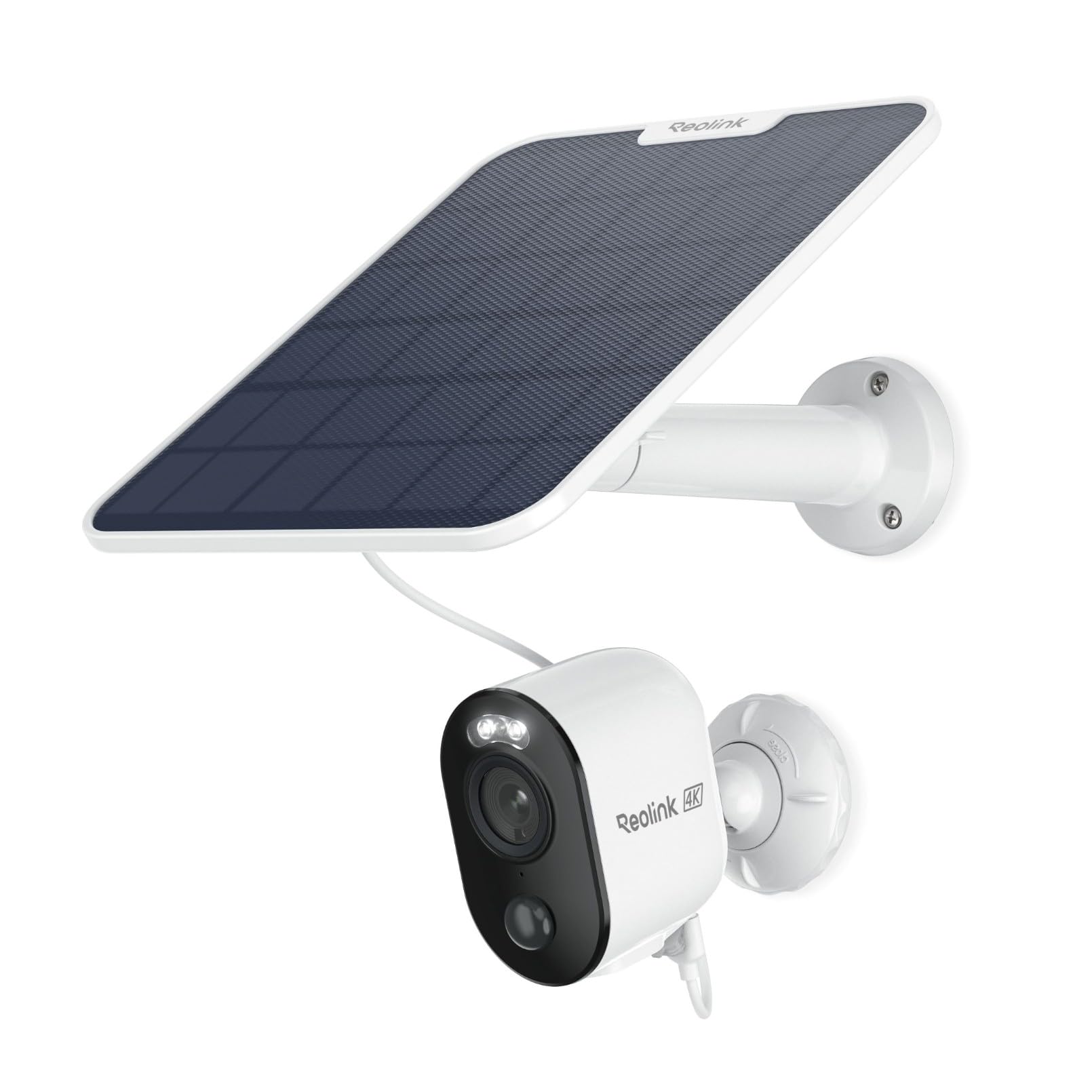
Overview:
The Reolink Argus 3 Ultra is a totally wireless 4K camera, excellent for users who seek flexible positioning without running cables. Its battery-powered architecture, paired with optional solar panels, allows quick assembly anywhere.
Key Features:
-
4K Ultra-HD resolution
-
Color night vision
-
Two-way audio
-
Motion detection alerts
-
Wireless and battery-powered, with optional solar panel
Performance:
Even in low light, the video quality is crisp and clear. Two-way audio enables conversation via the camera, and motion detection is dependable and adaptable. Battery life is good, especially with solar help.
Installation & Setup:
No wiring is needed. The Reolink app offers complete control, live streaming, and alert management, and mounting is easy.
Pros:
-
Fully wireless for flexible installation
-
4K clarity
-
Color night vision
-
Optional solar charging
Cons:
-
Battery needs periodic charging if solar is not used
-
Limited local storage compared to wired PoE cameras
Ideal For: Users needing a quick, easy-to-install outdoor or remote camera with high-resolution 4K video.
Check Current Deals On Amazon Before Prices Change
4K Security Camera Setup Guide
Installing your 4K security camera doesn’t have to be complicated. Here are some quick tips for a smooth setup:
- Choose the Right Location:
- Place outdoor cameras high enough to avoid tampering.
- Cover entry points like doors, windows, and driveways.
- For indoor cameras, choose spots with a clear view of rooms or hallways.
- Power & Connectivity:
- Wireless cameras: Ensure strong Wi-Fi coverage or use optional solar panels.
- PoE cameras: Run Ethernet cables to supply both power and data reliably.
- Optimal Angle & Coverage:
- Adjust tilt/pan for maximum field of view.
- Avoid pointing cameras directly at bright lights or reflective surfaces to prevent glare.
- Storage & Recording:
- Set up local storage (SD/NVR) or cloud storage.
- Schedule recordings or motion-triggered alerts to save space.
- Test & Secure:
- Check live feed for clarity and coverage.
- Secure camera settings with strong passwords and enable encryption if available.
With these steps, your 4K camera will deliver crisp video and reliable surveillance right from the start.
Read also: Best Laptop Power Bank ( Tested & Reviewed)
Frequently Asked Questions on Best 4k Security Cameras
Is 4K really worth it for security cameras?
Yes. 4K cameras provide sharper images, better night vision, and clearer zoom, which makes identifying faces, license plates, or other details much easier than 1080p or 2K cameras.
Do 4K cameras require faster internet?
A faster internet connection (at least 5–10 Mbps per camera) is advised for cloud storage and live broadcasting. Wired PoE installations with local storage don’t depend on internet bandwidth as much.
How much storage does 4K video use?
4K video requires more space than lower resolutions. Using H.265 compression and motion-triggered recording help manage storage efficiently. Large-capacity SD cards or NVR are suggested for continuous recording.
Can 4K cameras work well at night?
Yes! Most 4K cameras offer IR or color night vision. Advanced versions preserve crisp, detailed video even in low-light circumstances, especially with built-in lighting or wide dynamic range.
Are 4K cameras harder to install?
Not necessarily! Wireless 4K cameras are straightforward to set up, whereas wired PoE cameras may involve more planning and installation effort but deliver consistent, continuous recording.
Conclusion
4K security cameras are an excellent option for both homes and businesses because of its unparalleled resolution, enhanced night vision, and accurate motion detection. The alternatives mentioned above cover every use case and budget, whether you’re looking for a robust PoE system, a flexible wireless camera, or a smart-home integrated solution.
The Lorex 4K Spotlight Camera or Reolink Argus 3 Ultra offer the best combination of performance, dependability, and installation simplicity for the majority of users. Enjoy the peace of mind that comes with crystal-clear surveillance by selecting the model that best suits your space and security requirements.
✉️ Don’t Miss a Post!
Join our community of smart readers — get the latest updates, expert insights, and exclusive tips delivered straight to your inbox.
👇 Subscribe now — it’s free!
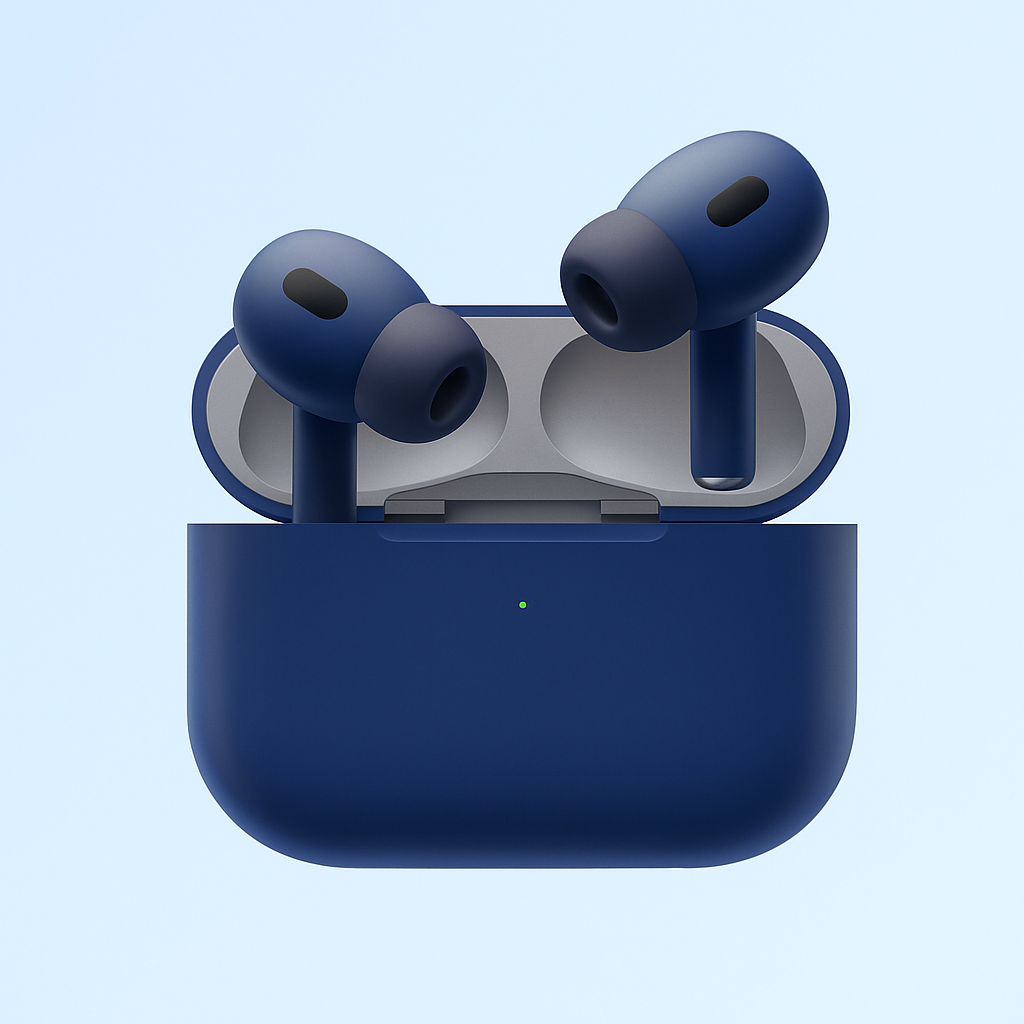
You are on an important call while driving and your airpods disconnects or you may be listening to your favourite song while your hands are busy and then your airpods disconnects. These scenarios can cause frustration. I’ve been there. But why do airpods keep disconnecting? As cute as airpods are, they have shortcomings. But just as I did, you too can figure out how to reconnect your airpods or even prevent it from disconnecting at random again.
What You Should Know About Airpods
AirPods are designed to automatically switch between Apple devices, allowing for seamless transitions between iPhone, iPad, Mac, Apple Watch, and even Apple Vision Pro. However, there are times when you may need to manually connect your headphones to another device or prevent automatic switching. In this article, we explain step-by-step how to switch AirPods between Apple devices.

Why Do My Airpods Keep Disconnecting?
You may not know for sure why your airpods keep disconnecting, unless you ask a technician. However, there some possible reasons why this happens. It could be:
- LOW BATTERY: When the battery of the airpods is low, the airpods will not be able to sustain the connection.’
- SOFTWARE IS OUTDATED: Outdated software (iOS or the filmware of the Airpods) can also be the cause of disconnection.
- QUALITY OF SIGNAL IS BAD: When the quality of the signal is bad it could cause interference or serious signal issues.
- WHEN THE SOFTWARE OF THE AIRPOD IS BAD: As with every other electronic device, airpods too, develop hardware issues.
Adjusting the above issues, could fix the issue of disconnection in your airpods. But where they do not match the reason for disconnection, you may need to consult, a technician.
How to Fix Disconnection in Airpods
In order, to fix disconnection in your airpods, do the following:
- You should disconnect and then reconnect your airpods.
- Check for system software updates.
- Check your device battery level.
- Also, check your audio device settings.
- Do well to clean your airpods.
- If you had activated automatic switching on airpods, do well to deactivate it.
- Check airpods settings.
- Turn off Wi-Fi
- Also check Bluetooth settings.
Let’s do a little explanation, on the points listed above.
Ways to Fix Airpods Disconnection from an iPhone
Before you finally give up on your airpods for disconnecting, try the following steps. This would probably save you both time and money. The steps are:
FIRST CHECK AND OR UPDATE YOUR SOFTWARE
Assuming you are using an iPhone, outdated software, iOS or apps in phone, can cause disruption of connection in your airpods. To confirm that this factor does not apply, ensure that you have updated all your phone apps and its software. To do this:
– Go to Setting > General > then to Software update.
Or you could simply install the update. To do this:
– Open app
- Disconnect and reconnect your AirPods
I know this sounds too easy to be true, but sometimes, it’s as simple as switching your AirPods off and on. Yes, it’s that simple. To do so, place your AirPods in their case and close the lid. Wait 15 seconds, then remove them and pair them back together.
- Check and update software
Outdated iOS and apps might cause system glitches, which disrupt AirPods connection. To rule out this, make sure that you’ve updated all your apps and iOS. First, go to Settings > General > Software Update to see if you’re using the latest iOS. Otherwise, install the update.
Then, get all your apps updated. To do that:
- Go to App store
- Look at the top of your phone screen, and tap your You will find your pending updates.
- Finally, tap on Update All to update all apps.
NOTE: You can choose to update only certain apps at a time.
- ALSO UPDATE AIRPODS FIRMWARE
Only updating your phone’s software, may not solve the problem. You may also be required to confirm if your airpod’s firmware is updated to its latest version.
Failure to update your airpod’s firmware may result in loss of audio. How do you confirm if your airpod’s firmware is updated? Follow through the following steps:
- STEP 1: Connect your aiprods device to your phone
- Select Setting > General> About, and then Airpods
- You may need to compare the firmware of your airpods to that of your iPhone. Is it the same version? If you do not know for sure, visit, Apple’s support page.
- CHARGE YOUR AIRPOD
Sometimes low airpod battery can cause disconnection. Low battery may also cause your airpod to be very quiet to reduced performances. To fix this issue, keep your airpod in its charging case and then close its lid. Allow airpods to charge for 20-30 minutes for it to have enough charge.
- USE ONE AIRPOD AT A TIME
It may sound somehow but it works sometimes. Using just an airpod at a time, can solve disconnection issues. True, this does not give the best listening experience especially if you are listening to music, but it helps with disconnection problems. You can either use the left or right airpod at a time.
- PUT OFF THE AUTOMATIC EAR DETECTION
This method of fixing disconnection in airpods, is not so known but it works. Your iPhone can detect if your airpod is on. If it detects that it is on, it will start channelling audio to your airpods. This is one of the excellent innovations of Apple. But sometimes, that innovation can cause unintentional disruption in connection. To prevent this unintended disruption, it is best you turn it off the automation ear detection. Here’s how you can turn off the automatic ear detection:
STEP 1: Ensure that your AirPods are properly connected to your device.
- Open Settings on your device.
- Tap on Bluetooth
- Tap on the icon “i” next to your AirPods.
- Finally, turn off automatic ear detection.
List of Reasons Airpods Become Quiet?
Your airpods can become so quiet overtime. This condition could be caused by a number of reasons. Here are a list of possible reasons why your airpods can be so quiet.
- Unclean airpods
- Low volume settings
- Bad Bluetooth connections
- Low battery
- Airpods’ safety feature
Now let’s breakdown these reasons and how we can fix them.
Read also:How To Pair Apple Watch With Iphone
How To Fix Quiet Airpods
CLEAN AIRPODS REGULARY
Accumulation of dusts, earwax and debris in the airpods, can block sound and cause your airpods to be quiet. Just a small quantity of debris in the airpods can obstrust quality sound output. Hence to fix quiet airpods and prevent malperformance, do well to clean your airpods regulary.
Dos and Don’ts to Keep in Mind Before Cleaning Airpods
- Do not use water to clean airpods.
- If at all it is absolutely necessary, slightly dampen a clean cloth with water . But ensure that the cloth is almost dry before use.
- Remove car tip and then rinse it well in water.
- Clean the speaker area with dry clean clothes
- Do not press the speaker too hard while cleaning.
Important Note: Regular cleaning and maintenance, prevents airpods from becoming quiet over time.
Download Krisp for Noise Cancellation
Your Airpods might become quiet because background noise may be interfering with your sound. With Krisp app, you can better your listening experience. The Krisp app, blocks background noise from interfering with your sound. It functions as a sound filter.
How to set up the Krisp app?
- Go to app store to download and install Krisp. You also download from their official website. Download is available for iPhone and Android devices.
- After download, set up Krisp: after installing the app in your device, open it. Go to Settings, select your Airpods as your device speaker. After that, select Krisp as both the output and input sound device.
- Finally, Connect Your AirPods: Make sure that your Airpods are connected to your iPhone or Phone devices.
Krisp can significantly reduce background noise, making your AirPods more effective in noisy environments. So, if your AirPods are so quiet due to background noise, using Krisp for noise cancellation allows them to deliver crisp, clear audio, even in noisy settings.
- BAD BLUETOOTH CONNECTIONS
A bad Bluetooth connection can cause your airpods to be quiet. An unstable Bluetooth connection can cause interference from other devices. It can cause disturb connection.
- LOW VOLUME SETTINGS: If the volume setting in both or either the phone setting is low, it could affect the overall sound quality. To check the volume on your airpods:
Look at the side of your airpod, you will find the two volume buttons. Press the up volume to turn up the volume, while you press volume button to reduce the volume.
- LOW BATTERY
Low battery can cause your airpods to seem ‘quiet’ Yet another reason why your airpod may seem quiet low battery. When your airpods battery is low, you would not get maximum sound quality. Fully charging your airpods will be a quick fix for this issue. As mentioned above, you need 20-30 mins to fully charge your airpods. So, to enjoy good sound quality, do not let your airpods battery go flat.
How do you know if your airpod battery is low? The status light on your airpod charging case is an indicator to low battery and full battery. If the light is green, it means the battery is fully charged, amber light means that it’s almost full. But when the light is red, it means low battery. To see the status light, if your airpods are in their case, open the lid.
The status light on your charging case helps you know when it’s time to charge your AirPods or charging case and when they’re fully charged. Green means fully charged, and amber means that less than one full charge remains.
If your AirPods are in their case when you open the lid, the status light on the case shows the charge status of your AirPods.
How to Optimize Battery Charging on AirPods Pro and AirPods 3
As the name implies, optimizing battery charging on your airpods would mean, reducing the wearing on your battery by reducing the charging time for your airpods Pro and Airpods 3. Putting on this feature means longer charging time for your airpods, and over time the battery will wear out because of over usage. How then do you turn off this feature? To turn off optimised battery charging:
- Make sure your airpods are connected to your iPhone.
- For airpods’ Settings > your airpods, and then, tap
- Click on turn off optimised battery charging.
How to switch AirPods connections between Apple devices
AirPods automatically switch between Apple devices if they use the same account.
You can manually connect your AirPods to another device via Bluetooth or AirPlay.
You can disable automatic connection to avoid unexpected changes.
If you encounter problems, you can manually pair your AirPods from the settings.
Learning how to switch AirPods connections between Apple devices is essential for improving the user experience, avoiding issues when you want to ensure the audio stays on the correct device.
Automatically connecting AirPods between Apple devices
If you’re signed in with the same Apple account on all your devices and have enabled two-factor authentication, your AirPods will automatically switch to the device playing the most relevant audio. Some examples of how this automatic connection works are:
If you’re listening to music on your Mac and playing a video on your iPhone, your AirPods will automatically switch to your iPhone.
If you receive a call on your iPhone while using your AirPods with your iPad, the audio will automatically be routed to your iPhone.
Contact Apple Support for your AirPods after you have exhausted all basic troubleshooting steps for common issues, like connectivity or charging problems.
When to Contact Apple Support for Help on Airpods
Contacting Apple Support for help on airpods should be your final thought after trying the above-mentioned ways to fix airpods issues. But regardless, you should contact Apple support when some other situations arise. For example:
When There are Hardware problems
Hardware problems can arise in different forms. It could come in form of:
- Charging Issues: This is when the airpods or it charging case would not charge enough, even after trying different cables.
- Battery Issues: This occurs when the airpod batteries drains out too frequently.
- Sound Output Problems: Quiet airpods, distorted audio, or irregular volume, are all sound output problems.
- Accidental Fall: When your airpods accidentally falls.
- Physical Damage:You may need to contact Apple Support, when a repair is needed due to water damage.
When Connectivity failures
Connectivity failures could be as a result of:
- Frequent disconnection:If regardless of restart your phone, and re-pairing your airpods it keeps disconnecting, then you should seek help from Apple Support.
- Difficulty Pairing Devices: If you are finding it difficult to re-pair your airpods to your iPhone then you should seek help.
- Both Software and Firmware Issues: When you notice a specific problem reoccurring after you’ve already reset your airpods, seek help.
- When there is Loss or replacement of Either airpods or airpods case: In either of these cases, Apple can actually help you replace your lost airpod charging case or a lost single airpod. This is usually easier, especially when your airpods are under warranty or the hardware fault has been diagnosed.
Important Steps to Take Before Contacting Apple Support
Yes contacting Apple Support should come to mind if your airpods are faulty. But takes these important steps before you make that contact:
- Try Re-pairing your AirPods: Tap on Forget Airpods in your Bluetooth settings, then re-pair them.
- Reset your AirPods: To reset your Airpods, close the lid, wait for about 30 seconds, then press the button on the back of your airpod case, until the light statues shows amber colour, and afterward, white.
- Reset Your Device: Just by simply turning off your device and then putting it back on,can make all the difference.
- Charge airpods and its Case: Low battery as highlighted above can cause malfunction. So ensure that both the airpods and it case, are charged.
How Can You Contact Apple Support
These official methods can be useful if problem in airpods persists:
- Get Help Online:Go to the Apple Support official website, to request for one-on-one service or make complaint via chat with Apple Support representive.
- Use the App: The Apple Support app, allows you the opportunity to get a one-on-one support directly from your iPhone.
- Put a Call to Apple Support: You also contact Apple Support, by putting a call across to the. The official contact number of Apple Support for residents in USA is, 1-800-MY-APPLE (1-800-692-7753).
- Visit a Physical Apple Store: You can also make a reservation for an in-person support.
Read also: How To Buy More Storage On Iphone
FAQS On Why Do My Airpods Keep Disconnecting?
FAQS 1: Why do my AirPods device keep getting disconnected?
If your airpods keep getting disconnected after much trials, it could be low on battery, or running on bad or outdated software or firmware. Sometimes too, it could be as a result of bad Bluetooth signal.
FAQS 2: How can you stop your airpods from stopping at random?
To stop your Airpods from stopping at random, you may have to identify why it stops in the first place. If the cause of stopping is low battery, try not to allow your airpods become battery flat. If you notice system glitches, ensure that your firmware is updated. But if it is bad Bluetooth signal, try Forget and Connect again or you simply bring your device and airpods to a closer distance.
FAQS 3: Why do my AirPods work fine in other devices, but disconnects from mine?
If this is your situation, find out if your iPhone software is out of date, or if it is just experiencing signal interference.
FAQS 4: Why are my AirPods ‘quiet’ even when it is at full volume?
Quiet airpods could be as a result of a number of factors. It could be:
- Dirty airpods
- Low sound setting
- Bad Bluetooth signal
- Or the safety feature on your airpods.
FAQS 5: How do I make my AirPods louder?
To make your airpods louder, address why it has been low in volume. You can your airpods louder by:
- Keeping airpods regularly clean as dirts in airpods could be the cause of low volume.
- Adjust volume setting in device.
- Turn off the volume safety feature.
- Disable or Turn off low power setting.
- Adjust volume with the buttons on your airpods.
FAQS 5: Why do my AirPods disconnect when I pick up a call?
Bad Bluetooth signals or outdated airpods firmware can cause disconnection when you answer a call with your airpods. To stop this disconnection:
- Hold setup button until you see amber colour light signal
- Hold till it turns white colour
- Make sure that your iPhone software is not outdated.
FAQS 6: Why do my AirPods disconnect when I move my head?
Interference with Bluetooth signal usually causes this disconnection. But to fix, you can:
- Re-pair with your iPhone: Re-establish connection between both your iPhone and the airpods.
- Keep both your airpods and iPhone closer: Distance can also cause this sort of disconnection. So, keep the distance between your iPhone and airpods reasonably close. Experts say, you should not be more than 30 feet away from your device when using your airpods.
- Turn on and Turn Off Airplane mode: This simple fix works most of the time.
- Update Airpods’ firmware: Outdate airpods’ firmware could be the cause of disconnection too. So, try updating your Airpods’ firmware.
FAQS 7: Do Airpods disconnect more on Andriod?
Sadly, yes, they do. Airpods are more likely to disconnect more on Andriod than they would on iPhone. This is mostly because, Airpods are not designed to work effectively on the operating system of Andriod. Although, Airpods can still work with Andriod devices, they tend to be a lot of malfunctioning such as poor sound quality, random unintended disconnections, Bluetooth interferences and others.
Conclusion
Your Airpods may be disconnecting from your device for a number of reasons. It could be low battery, poor Bluetooth signal, outdated software, outdated firmware and a number of other reasons. To fix disconnection, identify the cause.
✉️ Don’t Miss a Post!
Join our community of smart readers — get the latest updates, expert insights, and exclusive tips delivered straight to your inbox.
👇 Subscribe now — it’s free!
-

 Gadgets2 months ago
Top Best 4K Security Cameras (Tested & Reviewed)
-

 Gadgets3 months ago
Why Do My Airpods Keep Disconnecting?
-

 Phones3 months ago
Tesla Phone Price: How Much Does It Cost?
-

 Laptops & Computers2 months ago
Best Gaming Laptops For Under $2500 ( Tested & Reviewed)
-

 Phones4 months ago
How To Buy More Storage On Iphone
-

 Phones4 months ago
How To Record a Phone Call On Iphone
-

 Gadgets4 months ago
How To Unlock a Samsung Phone
-

 Phones4 months ago
Why Are Satellite Phones Illegal?