Laptops & Computers
Best Gaming Laptops For Under $2500 ( Tested & Reviewed)

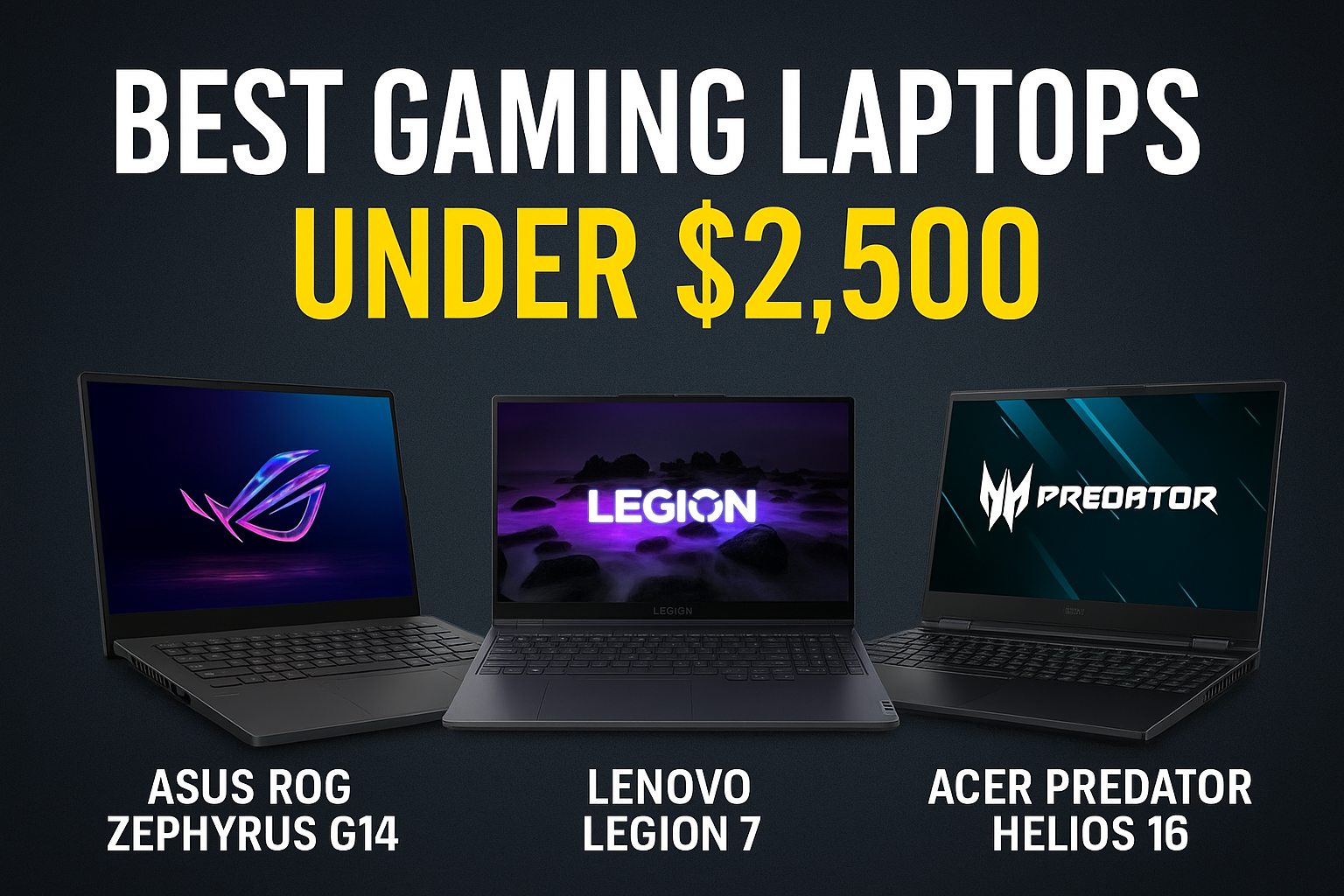
Are you a gaming enthusiast and want a laptop that lets you enjoy your favourite titles wherever you are? Or are you looking to replace your old laptop that can no longer handle the latest releases? Either way, you’ve come to the right place. Going for the best gaming laptop for under $2500, is like putting together a perfectly-planned event on budget. In the world of technology, the list of best laptops is almost endless. We have a number of best gaming laptops under $2500. What should you expect from a gaming laptop under $2,500? We’ll be answering that question along with others in this blogpost. I’ll help you discover the best gaming laptops, perfect for those seeking high performance, attractive design, and a smooth gaming experience. But first let’s go through some facts about gaming laptops.
Best Gaming Laptops For Under $2500
Choosing the ideal device isn’t always easy, especially with all the options available on the market. Therefore, in addition to showing you the best-performing models, I’ll also give you some practical tips to help you decide which laptop to buy based on your budget and the features you consider most important, such as graphics card power, processor, and screen quality.
Asus TUF Gaming F16

The Asus TUF Gaming F16 is a high-performance laptop designed to meet the needs of those seeking power and versatility in a single device. Equipped with a 13th Generation Intel Core i7-13620H processor, this notebook delivers remarkable processing speed, perfect for handling complex applications and intense gaming sessions. The combination with an NVIDIA GeForce RTX 4050 graphics card ensures smooth and detailed visuals, thanks also to the 16-inch display with 1920×1200 pixel resolution and 144Hz refresh rate.
One of the most impressive aspects of this model is its ability to offer an uncompromisingly immersive visual experience. The anti-glare display allows you to work or play in any lighting condition, always maintaining excellent image quality. Furthermore, the 16GB DDR5 RAM and 512GB SSD further improve overall system performance, reducing loading times and enabling efficient multitasking.
KEYBOARD The single-zone RGB backlit keyboard not only adds a customizable aesthetic touch, but is also optimized for gaming, offering a precise and comfortable tactile response. This detail makes the Asus TUF Gaming F16 ideal for long gaming or work sessions, where comfort and precision are essential. The presence of a built-in 720p HD webcam facilitates video calls, making it also suitable for virtual meetings and streaming.
WEIGHT: Despite its advanced features, the Asus TUF Gaming F16 maintains a lightweight and durable design, weighing just 2.2 kg. This makes it easily portable, suitable for both home and professional use. The ARC Flow fans, which increase airflow by up to 13%, ensure effective cooling, essential for maintaining peak performance during intensive use.
- COST:
A brand-new Asus TUF Gaming F16 costs, $1,199.99.
- PROS AND CONS OF ASUS TUF GAMING LAPTOP
Pros
- It is very durable- they can withstand extreme temperature.
- This gaming laptop has a special self-cooling system.
- They are highly effective in performance.
- You can easily upgrade its storage capacity if you wish to.
- Cost-friendly.
Cons
- In some models, thermal throttling is likely to occur.
- Its overall display quality is not so good
- When unplugged, battery level may drop fast.
Check Current Deals On Amazon Before Prices Change
LENOVO LEGION 7i

The Lenovo 7i is a high-performance laptop for gaming with awesome graphics of NVIDIA GeForce RTX and Intel Core i7/i9. It has touchscreen features with OLED displays.It uses Coldfront 4.0.
COST OF LENOVO LEGION 7i: About $1,029
PROS AND CONS OF LENOVO LEGION 7i
PROS
- It is below $2,500
- It has a high-cooling system
- Battery life span is very good.
CONS:
- High fan noise
- Audio quality is mediocre
- Upgrading it can be difficult.
Check Current Deals On Amazon Before Prices Change
MSI THIN 15 B13UC-1851IT

The MSI Thin 15 B13UC-1851IT is a laptop designed to meet the needs of gamers and high-performance users. With a 15.6-inch Full HD display and a 144Hz refresh rate, this device offers smooth and detailed images, ideal for those seeking an immersive visual experience while gaming or watching multimedia content.
At the heart of this laptop is the Intel Core i7-13620H processor, featuring a hybrid core architecture that combines up to six performance cores with four power cores. This configuration ensures optimal multitasking and the most demanding applications, allowing you to effortlessly switch between different tasks without compromising performance.
The NVIDIA GeForce RTX 3050 graphics card with 4GB of GDDR6 memory is another highlight of the Thin 15. Based on the second-generation Ampere architecture, this GPU delivers lifelike graphics and support for advanced features like NVIDIA DLSS, making this laptop an excellent choice for gamers looking to take full advantage of the latest titles.
COOLING SYSTEM: Another notable feature is the optimized cooling system, which keeps the device quiet and cool even under load. This allows you to focus on your work or game without distractions from fan noise or overheating.
In terms of connectivity, support for 802.11ax wireless standards and Bluetooth ensures a stable and fast connection, while HDMI and Ethernet ports offer versatile connection options for external peripherals. The inclusion of a two-way AI noise cancellation system significantly improves the audio experience, making communications clear and free from unwanted interference.
STORAGE MEMORY: In terms of memory, the MSI Thin 15 features 16GB of DDR4 RAM with a clock speed of 3200MHz, providing ample space to handle demanding applications and extended gaming sessions. Storage is handled by a 512GB NVMe PCIe Gen4x4 SSD, ensuring fast loading times and a quick boot up of the pre-installed Windows 11 Home operating system.
CONNECTIVITY: Connectivity is another strong point of this notebook, thanks to the presence of WiFi 6E and Bluetooth v5.3, which ensure fast and stable connections. Furthermore, the numerous USB and HDMI ports offer versatility for connecting external peripherals, making the Thin 15 suitable for any work or entertainment environment.
COST:
The cost of The MSI Thin 15, is about $653.98.
PROS & CONS OF THE MSI Thin 15 B13UC-1851IT
PROS:
- Pocket friendly.
- It is light-weighted.
- Effective in performance.
Cons
- Laptop can easily overheat.
- Its durability is in question.
- Battery performance is not impressive.
Check Current Deals On Amazon Before Prices Change
MSI CYBORG 15 A13VE-656IT
![MSI Cyborg 15 A13VE-656IT, Notebook Gaming, 15,6" FHD 144Hz, Intel i7-13620H, Nvidia RTX 4050 GDDR6 6GB, 1TB SSD PCIe4, DDR5 16GB, WiFi 6, Win11 Home [Layout e Garanzia ITA] : Amazon.it: Informatica](https://m.media-amazon.com/images/I/71Z3U+YloJL._AC_UF1000,1000_QL80_.jpg)
The MSI Cyborg 15 A13VE-656IT is a gaming laptop that perfectly blends futuristic design and high-end performance. Featuring a 15.6-inch Full HD display with a 144Hz refresh rate, this device offers incredibly smooth and detailed visuals, ideal for intense gaming sessions.
At the heart of the Cyborg 15 is a 13th Generation Intel Core i7-13620H processor, featuring an improved hybrid core architecture with 6 Performance cores and 4 Efficient cores. This configuration easily handles both multitasking and demanding games, always ensuring high performance. The NVIDIA GeForce RTX 4050 GPU with 6GB of GDDR6 memory is designed to deliver an exceptional graphics experience, supported by the NVIDIA AdAda Lovelace architecture, which significantly improves performance and AI-based graphics.
COOLING SYSTEM: One of the most innovative aspects of this laptop is its advanced cooling system. The shared heat pipe design for the CPU and GPU allows for real-time heat dissipation, optimizing thermal efficiency. MSI’s exclusive thermal paste further helps maintain low temperatures even during the most intense gaming sessions, ensuring the laptop always operates at its peak capacity.
STORAGE MEMORY: The 16GB DDR5 memory, split into two 8GB modules, offers faster read and write speeds than previous generations, accelerating every aspect of the laptop’s performance. Furthermore, the 1TB PCIe Gen. 4 SSD ensures lightning-fast loading times and efficient handling of large files, making the Cyborg 15 ideal not only for gaming but also for intensive productivity tasks.
Another highlight is the touchpad, 32% larger than previous models, offering a seamless tactile experience and greater precision. Strategically placed in the center, it avoids interference with the palm of your hand during intensive laptop use.
MSI Center, an exclusive software, allows you to customize and control every aspect of your notebook, tailoring it to your specific needs. This tool is particularly useful for optimizing system performance and monitoring hardware health in real time.
PROS AND CONS OF THE MSI CYBORG 15 A13VE-656IT
PROS :
- It is budget-friendly.
- This gaming laptop has an advanced gaming system.
- It has an exclusive software that optimizes it system performance.
CONS
- Audio may need a support system as the laptop has a weak system.
- Has poor display quality.
- Keyboard light is constant, cannot be changed.
Check Current Deals On Amazon Before Prices Change
ACEMAGIC PC GAMING PORTATILE AMD RYZEN 9 6900HX
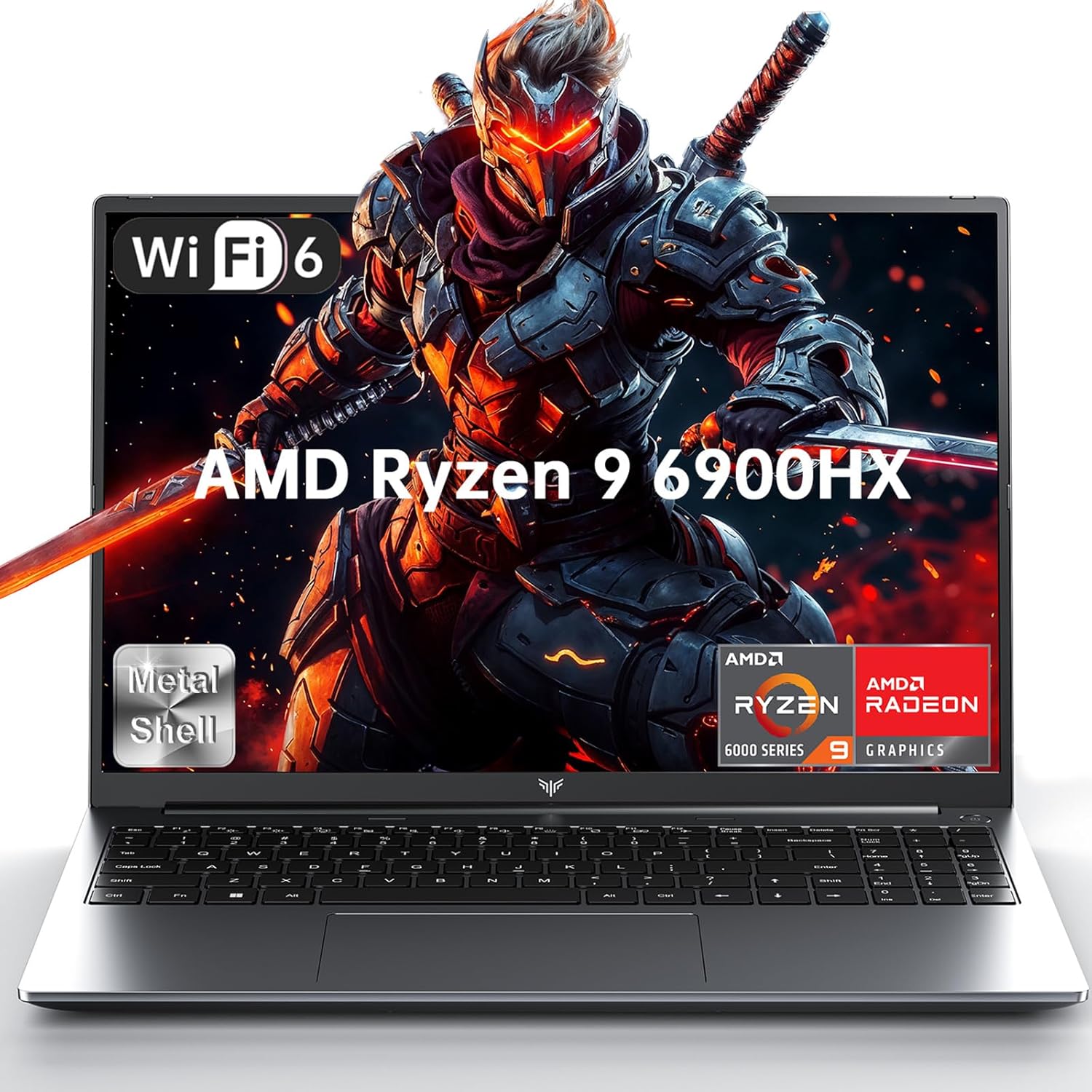
The ACEMAGIC Portable Gaming PC, with its AMD Ryzen 9 6900HX processor, is an excellent choice for those seeking high performance in a portable format. This laptop is designed to push your skills to the limit, thanks to its processing speed of up to 4.9 GHz. With eight cores and sixteen threads, this processor is ideal for handling complex applications and intense gaming sessions without any slowdown.
STORAGE MEMORY: Another highlight of this device is the 16GB DDR5 memory, configured in dual-channel, which offers a remarkable bandwidth of 4800 MHz. This feature ensures smooth and responsive multitasking, even when using demanding software such as video editing or the latest games. The 512GB M.2 NVMe SSD ensures fast loading times and instant data access, making the overall experience even more enjoyable.
GRAPHICS: The integrated AMD Radeon 680M graphics offer top-notch visual performance, allowing you to enjoy sharp and detailed images on a 16-inch screen with a resolution of 1920 x 1200 pixels. This display not only offers vibrant colors and sharp contrast, but thanks to its ultrathin borders, it further increases visual immersion, whether gaming or watching multimedia content.
CONNECTIVITY: Advanced connectivity is another aspect that sets this laptop apart. Equipped with Bluetooth 5.2 and Wi-Fi 6, it lets you browse and transfer data at high speed, even in crowded environments. The numerous available ports, including USB 3.0, HDMI, and Type-C, ensure compatibility with a wide range of peripherals, making it easy to expand your device’s functionality.
The backlit keyboard is a practical addition for those who work or play in low-light conditions. The ability to activate the backlighting with a simple key combination (Fn + Spacebar) makes using the laptop intuitive and comfortable. Furthermore, the ultra-portable design and lightweight make it easy to carry without compromising performance.
Finally, the 4800 mAh lithium battery provides enough battery life for long work or entertainment sessions, reducing the need for frequent charging. In short, the ACEMAGIC Portable Gaming PC combines power, versatility, and convenience, making it an excellent choice for those looking for a high-performance and reliable laptop.
PROS AND CONS OF ACEMAGIC PORTABLE GAMING PC
PROS:
- Its size allows for flexibility.
- Good performance.
- This gaming laptop offers good range of connectivity options.
CONS:
- Opening can be difficult at times.
- It looks fragile.
- Fan noise is high.
Check Deals On Amazon Before Prices Change
Lenovo Legion 5

The Lenovo Legion 5 is a laptop designed for those seeking high-end performance for gaming and productivity. Equipped with an Intel Core Ultra 7 255HX processor, this device offers exceptional computing power thanks to its 20 cores, capable of reaching a maximum speed of 5.2 GHz. This makes it ideal for multitasking and running complex applications without any slowdown.
GRAPHICS: The Lenovo Legion 5 has NVIDIA GeForce RTX 5070 graphics card with 8GB of GDDR7. Additionally, it supported with ray tracing and high performance in AAA games that guarantees an extraordinary visual experience. Its ability to handle advanced graphics applications and 3D rendering makes it a powerful tool even for creative professionals.
The 15.1-inch WQXGA OLED display is a true gem. With a resolution of 2560 x 1600 pixels and a refresh rate of 165Hz, images are extremely sharp and fluid. Dolby Vision and HDR True Black 600 technologies further enhance visual quality, offering vivid colors and deep contrast. This screen is perfect for fully immersive gaming or for work that requires high color accuracy.
KEYBOARD: Another notable feature is the 24-zone RGB keyboard.
COOLING SYSTEM: The advanced cooling system keeps the laptop cool and quiet, even under heavy workloads, allowing you to focus without distractions.
CONNECTIVITY: Connectivity is another strong point of the Lenovo Legion 5. With USB-C Thunderbolt 4 ports, HDMI 2.1, and Wi-Fi 7, you have a wide range of options for connecting external devices and accessing high-speed networks. The 5MP IR camera ensures clear video calls and secure facial recognition, increasing safety and convenience.
COST OF LENOVO LEGION 5:
It costs $1,099.9.
PROS AND CONS LENOVO LEGION 5
Pros
- It has strong gaming performance.
- Beautiful display of colours and sharpness.
- Rugged- builds
- Cost-friendly.
Cons
- It is relatively heavy.
-
- Battery level significantly drops when unplugged.
- Long time use can cause over-heating.
Check Deals On Amazon Before Prices Change
LENOVO LOQ 15″ NOTEBOOK GAMING

The Lenovo LOQ 15″ is a gaming laptop designed for those new to gaming but still seeking high-end performance. The elegant Luna Gray design gives the device a modern and sophisticated look that stands out.
The true strength of this laptop lies in its technological heart: the Intel Core i7-13650HX processor, a cutting-edge solution offering an optimized hybrid architecture, capable of exceeding expectations for both gaming and content creation.
The combination with 16GB of DDR5 RAM allows you to fully exploit the processor’s power, ensuring a smooth and responsive experience even in the most demanding situations.
The NVIDIA GeForce RTX 5060 graphics card with 8GB of GDDR7 memory is another highlight, offering revolutionary AI capabilities thanks to NVIDIA Blackwell technology. This GPU not only improves gaming performance, but is also ideal for content creators who require fast rendering and high-quality images.
The 15.6-inch display Full HD with a 144Hz refresh rate and NVIDIA G-Sync support ensures sharp, seamless images, essential for fully enjoying gaming and streaming sessions. This screen is perfect for those looking for fluidity and visual precision, making every detail vivid and immersive.
COST:
In Amazon store, The Lenovo LOQ 15, 64GB RAM/1 TB SSD, costs, $1,199,while that of 64GB RAM/2 TB SSD, costs, about $1,249.
PROS AND CONS OF THE LENOVO LOQ 15
PROS
- Affordable price
- The keyboard of this gaming laptop is comfortable.
- It looks stylish.
CONS
- Battery life is poor.
- Prolonged use can cause over-heating.
- Light is not so bright.
Check Current Deals On Amazon Before Prices Change
RAZER BLADER 15

The Razer Blade 15 another gaming laptop that is less than $2,500. It is a both good in performance and creativity. This gaming laptop is beautiful in looks and strong. Its features a 15.6’’ display, NVIDIA GeForce RTX graphics and a robust cooling system. The Razer Blader 15 has 16 GB of RAM. Its fast keyboard responsivity makes it to be among the best gaming laptop.
PROS & CONS OF RAZER BLADER 15
PROS:
- It looks gives a premium and luxurious feel.
- It is pocket-friendly.
- It has smooth visuals.
CONS
- It has poor web cam.
- Poor battery life.
- Gets over-heated after long time usage.
Check Deals On Amazon Before Prices Change
Alienware x16

This gaming laptop, gives excellent gaming experience. It has a premium build, higher graphics capacity, in addition to a resolution of a 240Hz refresh rate.
COST: In amazon, The Alienware X16 cost about $1950.
PROS AND CONS OF THE ALIENWARE X16
PROS
- It costs below $2,500.
- It has advanced cooling system.
- Higher graphics power ceiling.
Check Deals On Amazon Before Prices Change
What Customers Say About The Best Gaming Laptop For Under $2500:
Jordan says:
”The Asus ROG Zephyrus G14 from 2025 is still the best. because it offers a powerful combination of performance… in a sleek 14-inch chassis”.
CoolJay says:
”The ASUS ROG Zephyrus G14 with the new RTX 5080 is crazy if you have the money. However, the RTX 4070 versions really reach that perfect spot”.
Leo says:
”Lenovo provides some of the top choices. A decent gaming laptop usually starts at about $1,200 for gamers on a tight budget”.
Samson says:
”Although the LOQ 15 Gen10 has a well-matched GPU-display configuration and is quite affordable, it would greatly benefit from small memory and storage additions”.
JB says:
”My first Asus laptop broke 9 days after I bought it… microcenter replaced it free of charge and even transferred the warranty… I had an MSI … it performed great but the casing around the monitor was so damn thing”.
Our Recommendation On Best Gaming Laptops For Under $2500
If you’re looking for the best gaming laptop under $2,500, we advise that you choose a device that strikes a mix between robust build quality, good cooling, and powerful graphics performance.
For seamless gaming and multitasking, a system with an NVIDIA RTX 4070 GPU or higher, a current Intel Core i7 or AMD Ryzen 7 processor, 16 GB RAM (minimum), and a 1 TB SSD is ideal. A QHD display with a refresh rate of at least 144 Hz will significantly enhance your gaming experience.
For performance, thermals, and dependability at this price range, the ASUS ROG Zephyrus G14, Lenovo Legion 7, and Acer Predator Helios 16 routinely receive excellent reviews. Finally, before making a purchase, be sure the brand provides good warranty support or after-sales service in your area.
Read also: Which Samsung Phone Has The Largest Screen?
Key Buying Tips Before You Buy a Gaming Laptop
- Battery Life: For gaming laptops, battery life is an important factor to consider before buying. Imagine playing an online game with friends and your laptop goes off. Sad, right? A good gaming laptop should have a battery life of about 6-8hrs. Laptops like the Razer Blade 15 and the ASUS Zephyrus G16, can boast of good battery life.
- Thermal Performance: Yes, thermal performance, is the next factor to consider in a gaming laptop. As a gamer, you do not need a laptop that will over-heat after long use. Truth be told, very few gaming laptops can boast of good thermal performance. Lenovo Legion Pro 7i, Asus ROG Strix Scar 17, Razer Blader X16 are among the few gaming laptops that can boast of good thermal performance.
- Storage Capacity: This another important factor to consider before buying a gaming laptop. It is important to find out if the laptop you are considering to buy has a considerable large storage capacity. As a gamer, storage capacity of a laptop shpuld be very important to you because, the more storage power you have, the more games you can install in your laptop to play.
FAQS ON BEST GAMING LAPTOPS UNDER $2,500, 2025 EDITION
FAQ 1. What are the best gaming laptops under $2,500 in 2025?
We have a some recognized best gaming laptops under $2,500 in 2025, including the Razer Blade 15, Lenovo Legion 7i Pro, Alienware X16, MSI Rade GE68Hz, Hp Omen 17. Most these laptops have high-performance, fast refresh rate displays and efficient cooling systems.
FAQ 2. Can I get an good RTX 4080 laptop under $2,500?
Yes, you possibly can.
FAQ 3. Are gaming laptops under $2,500 recommended for 4K gaming?
Yes, but only a few numbers of them can handle 4K gaming well. If that is your focus, go for a laptop with a QHD display of 2560×1440.
FAQ 4. How much capacity of RAM and storage do I need for gaming under $2,500?
To play modern AAA games, you would need at least around 16GB of DDR5 RAM plus, 1TB SSD storage.
FAQ 5. Do gaming laptops under $2,500 have good battery life-span?
Not all gaming laptops have good battery capacity. In fact, very few do. But modern laptops like, the Razor Blade 15 and the ASUS Zephyrus G16.
Conclusion
If you are on a budget but need a good laptop under $2,500, you can get it. Yes, there are very good gaming laptops under $2,500. For example, Alienware X16, Razer Blade 15, MSI Raider GE68Hz, Lenovo Legion 7i, and HP Omen 17. When consider a laptop under $2,500, look out best laptops with considerably long battery life, good thermal performance and good storage capacity.
✉️ Don’t Miss a Post!
Join our community of smart readers — get the latest updates, expert insights, and exclusive tips delivered straight to your inbox.
👇 Subscribe now — it’s free!

In recent times, portable devices such as laptops and smartphones have seen a general optimization of their dimensions. With better and often larger screens, their thickness has gradually decreased, helping to make these devices: more elegant, lighter and more suitable for mobility. Along with these advantages, however, technological innovations have also brought about some less pleasant effects. One example is heating: more powerful components can also mean more heat needs to be dissipated to maintain high performance and longevity.
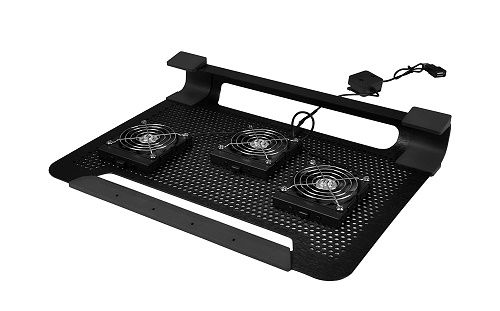
In the case of laptops, working or gaming on an overheating machine can create problems, with the reliability of the device, with comfort during prolonged use or with heat during the summer months. So, laptop cooling pads, improve the performance of the laptop, provide maximum comfort for its users and increases the life span of the laptop. To overcome all these problems, you can cool your laptop externally using a laptop cooling stand. These are devices equipped with fans that you can place your laptop on, cooling it directly from below. Some of the best laptop cooling pads include:
- Llano RGB Laptop Cooling Pad: Has RGB light bar at the middle and cost about $119.99
- Liano V10 Gaming Laptop Cooling Pad: Restrained curves with beautiful light band at its edge.
- Liagnstar laptop cooling pad: This is a budget friendly laptop cooling pad, that costs only $19.99
If you are a video editor, a MacBook user or a gamer, then this guide is for you. In this guide, the top best laptop cooling pad. They’ll be ranked from the cheapest to the best available today. Are you ready? Let’s get started.
Read also: Best Laptop Power Bank ( Tested & Reviewed)

How to Cool a laptop
As we saw in the introduction to this guide, laptop cooling pads are devices that sit underneath your laptop. They’re powered by a USB port and, thanks to the rotation of the fans, can draw cool air to the underside of your laptop.
As you can see, their operation is quite simple, but not all laptop cooling pads have the same features. When choosing, a laptop cooling pad though, you’ll primarily need to consider factors like:
- the number and size of the fans;
- the presence of a USB hub and built-in speakers;
- the height adjustment and other features.
Let’s look at them in detail.
Factors to Consider When Buying a Cooling Pad
- The Portability and Weight: These factors are very important especially for users who carry their laptops around. Slimmer and laptop cooling pads that are lightweight are more suitable for such users. For portability, the best weight of a laptop cooling pad should be no more than 1.5- 2pounds.
- The Size of Fan
A laptop cooling pad can have one to five or six fans. It seems like the more fans, the better the quality of the pad. And that’s usually the case. However, you should also consider other features. For example:
- how big are the fans;
- what is their maximum rotation speed;
- how are they positioned.
Following this reasoning, it is possible that a cooling pad with a single fan – large and fast – can reduce the laptop temperature better than a pad with five or six fans.
- Quality of Laptop Cooling Pads:
Opt for laptop cooling pads with solid-built features. They last longer. Important features to look out include, the RGB strips, LED displays and the fans.
- The Presence of a USB HUB and Built-in Speaker:
The need for USB ports on a cooling pad depends directly on how they work.
In fact, to power the fans, you’ll need to use a free USB port on your laptop, essentially making it unusable for all other devices.
For this reason, it’s helpful to have a USB hub with two or more ports directly on the pad.
Not all alternatives have one, and you’ll have to spend a bit more to get one. However, it’s a really useful addition, much like cooling pads that also feature built-in speakers.
As with monitor speakers, they offer audio outputs of up to 2 or 3 watts, but are suitable for replacing laptop speakers without taking up too much space.
- The Performance
Another factor to consider when buying a laptop cooling pad, is the performance. Look out for laptop cooling pads that will help to reduce shoulder and wrist strain after a long use. Also, a good laptop cooling pad, must do that which it mainly should, and that is to really cool down the laptop.
- Flexibility: If you want comfort, go for a laptop cooling pad that you can easily adjust
As you’ve seen, in understanding the function and usefulness of a cooling pad, we’ve moved from the most fundamental aspects to the more interesting ones.
Among the latter, the most sought-after are:
- the ability to adjust the base’s height for greater comfort;
- compatibility with laptops of different sizes, preferably up to 17 inches or more; the ability to adjust fan speed and activity; backlighting.
The Best Laptop Cooling Pads
In states like Florida and Texas of the USA, the temperature is really high. Hot temperature can adversely affect electronic devices like Laptops. Besides hot weather, over-use can also cause over- heating. After seeing how a cooling pad works, let’s now move on to the list of the best ones currently available in major stores. In the section dedicated to each, I’ll briefly show you its strong points and why it might be worth purchasing for your laptop, including their Pros and Cons. So, let’s see what they are!
LLANO RGB LAPTOP COOLING PAD

Among the light-weight cooling pads, the Llano RGB is the lightest. Its design is very comfortable. It is wide enough for you to rest your wrist while using your laptop. The Llano RGB laptop, with its smooth curves, also has a special feature, the RGB light bar just around its middle that makes it cuter.
- PROS AND CONS OF THE LLANO RGB LAPTOP COOLING PAD
PROS:
- Excellent Performance in Cooling Laptops:
Laptop cooling pad, are for cooling laptops. But the Liano RGB laptop, has exceptional cooling performance. It has the ability of reducing the temperatures of the both the Central Processing Unit (CPU) and Graphic Processing Unit (GPU) to as low as 12-20°C.
- Can Filter Dust:
The Llano RGB has a special design that filters dust that prevents the accumulation of dust in your laptop, thereby, prolonging its longevity.
- It acts as a USB Hub:
It typically provides 3 additional, USB type a port for connecting parts like keyboards.
- LED Display:
With the LED display, displays the speed of the fan in real-time.
CONS:
- Noise: The fan makes lots of noise. You may need a headphone for cancelling noise.
- Cost: It is expensive and may not be suitable for customers who are on a low-cost budget. It could cost about $120.
- May have Compatibility Issues: the design and features of the Llano RGB laptop cooling pad, may not be compatible with other laptops.
- Bulky: It is not portable. Hence, may not be suitable for users to carry around.
Check Current Deals On Amazon Before Prices Change
LIANGSTAR LAPTOP COOLING PAD

If you are looking for affordability and a cooling pad of great performance, then the Liangstar laptop cooling pad is a good option for you. Personally, I love this particular cooling pad not only because of its features but also for its affordability. Although, its angular, game-baiting built, may not as cute looking as that of Llano RGB laptop cooling pad, it is delivers excellently in terms of performance.
- PROS AND CONS OF THE LIANGSTAR LAPTOP COOLING PAD
PROS:
- Exceptional Cooling Effect: It has exceptional cooling capacity. This laptop cooling pad is great for gaming and other demanding jobs.
- Cost: It is very affordable.
- Dust Filter: This laptop cooling pad also has the capacity to prevent dust from entering into the laptop.
- Strong Built: The Liangstar laptop cooling pad has a strong and long lasting built.
- Extra Ports: More USB port means more functionality.
- Compatibility: It has good level of compatibility.
CONS:
- Lighting: It does not have RGB lighting
- Design: It does not have an attractive design.
- It May Require More Maintenance: The filter for dust needs to be replaced from time to time.
- Big size: It is bulky. This laptop cooling pad may be too big to carry around.
Check Current Deals On Amazon Before Prices Change
LIANO V10 GAMING LAPTOP COOLING PAD

This laptop cooling has a beautiful design with the capacity of cooling laptops up to 16∘C−20∘C. It comes with an adjustable stand and USB hub.
The cost of Llano V10 gaming laptop cooling pad is about $85.50. It can be gotten in an online shop like Amazon.
- PROS AND CONS OF LLANO V10 GAMING LAPTOP COOLING PAD
PROS:
- EFFECTIVE COOLING SYSTEM: The Llano V10 gaming cooling laptop pad has an effective cooling capacity to reduce the temperature of the laptop by 10∘C-12∘
- Dust Filtering System: it has a system that keeps dust from going into the laptop, thus elongating its life span.
- Physical buttons are available in this cooling pad, making it better for those who prefers physical button touch over sensors.
- This cooling pad has a USB pass through.
CONS:
- Some persons who have used the Llano V10 gaming laptop cooling pad, mentioned that some of the materials used for building are of less quality.
- Lack of Flexibility: The height of this laptop cooling is fixed and not flexible. This will not be suitable for some users.
- It is quite expensive.
Check Current Deals On Amazon Before Prices Change
COOLER MASTER NOTEPAL X3

This is one of the top best cooling pads in USA. It has a large fan 200mm that provides effective airflow that serves as coolant to your laptop.
- Features of the Cooler Master Notepal X3
- Its ergonomic design, you can easily adjust its height settings.
- Blue LED lights
- This cooling pad has about 200mm fan with speed that you can control.
- PROS AND CONS OF THE COOLER MASTER NOTEPAL X3
PROS:
- It has an effective cooling system
- Flexible height control for comfort.
- Zero noise during operation.
CONS:
- The size of this cooling pad may be too big for smaller sixed laptops.
- You cannot turn off LED lights.
- High cost compared to others.
Check Current Deals On Amazon Before Prices Change
THE HAVIT HV-F2056 COOLING PAD
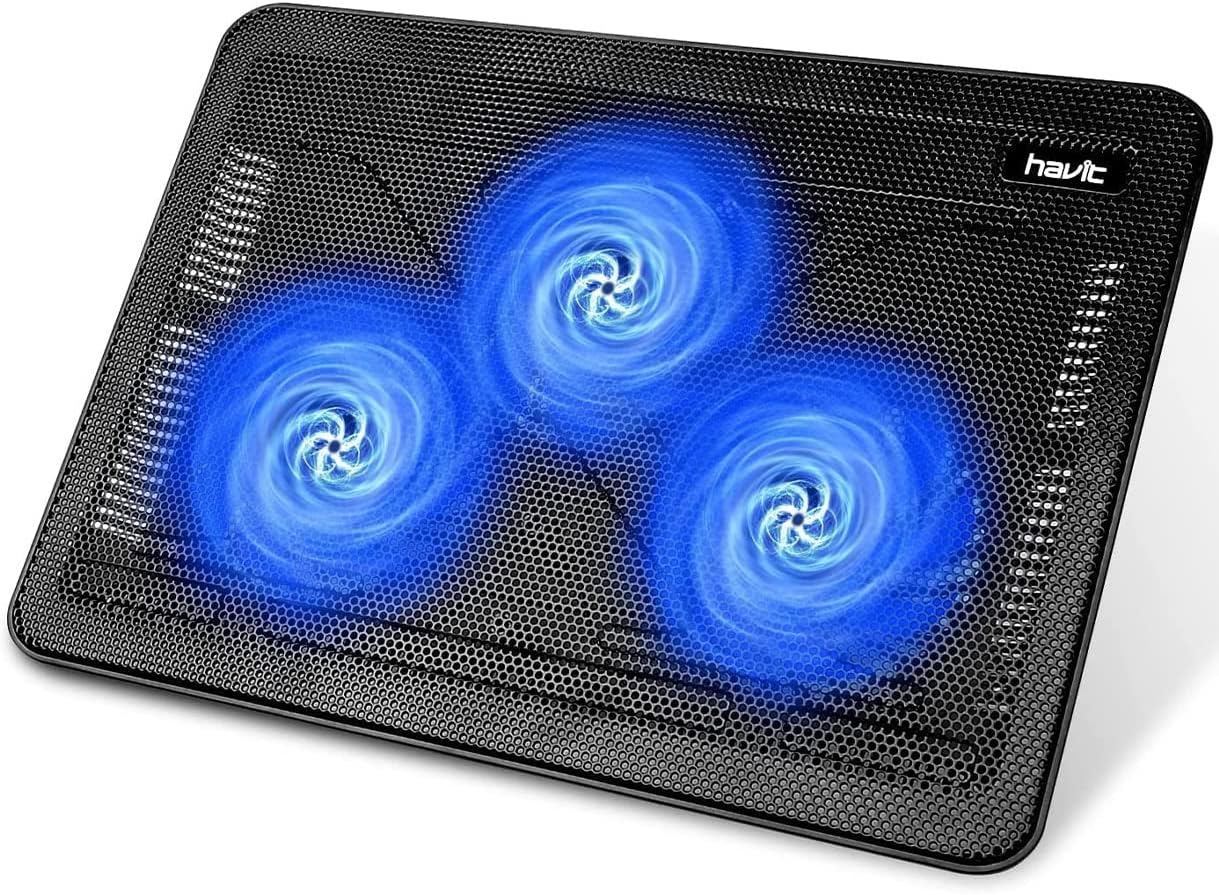
Here, we have another pocket-friendly laptop cooling pad. It has about there cooling lan fans that can cool laptops of almost 18 inches. This laptop cooling pad is ideal for everyday use and for light gaming.
Features of the Havit HV- F2056 Cooling Pad
- It has up to 3 fans of size 110mm for optimal cooling.
- Ultra-slim design ensured.
- They have in-built dual ports for USB
- PROS AND CONS OF THE HAVIT HV-F2056 COOLING PAD
PROS:
- They are pocket-friendly.
- They are portable and light-weight.
- Zero noise.
CONS:
- Fans cannot be adjusted
- They do not look so attractive.
Check Current Deals On Amazon Before Prices Change
OTHER GOOD LAPTOP COOLING PADS
Besides, the cooling laptop pads we’ve considered, there are still others that are relatively good. Some of them are:

The Ewent EW1258 is undoubtedly the best budget cooling pad for any laptop between 12 and 17 inches.
It’s made of aluminium and ABS for strength and lightness, and features a large 145 mm fan.
Since the fan is positioned in the center, this pad is suitable for any laptop where the center tends to overheat.
There’s no USB hub, but you do get two USB passthrough ports. This way, you can still use it with other devices.
Ewent’s offerings also include backlit fans, adjustable rear feet with two different heights, and a 5-year warranty. Not bad for an entry-level product!
Features of the Ewent EW1258
- One 145 mm fan
- Aluminium and ABS frame
- Ewent 5-year warranty
Check Current Deals On Amazon Before Prices Change
Mars Gaming MNBC23

The Mars Gaming MNBC23 increases the price, though not by much, and therefore improves the overall specifications.
Among the best laptop cooling pads, it’s designed to dissipate hot air while simultaneously cooling your laptop.
Its tilted form factor allows for greater comfort when using your laptop, but it doesn’t allow for height adjustment.
Mars Gaming has chosen six backlit fans, positioned along the entire structure of the cooling pad.
It also includes a good USB hub, with two powered ports, and a smartphone holder.
It’s still an affordable device, but it offers some more advanced features and supports laptops up to 16 inches.
FEATURES OF THE MARS GAMING MNBC23 LAPTOP COOLING PAD
- Six backlit fans
- Hub with two USB ports
- For laptops up to 16 inches
- KLIM Wind
Perhaps the best cooling pad for the price, the KLIM Wind features:
- a protective metal grille;
- four 120 mm fans spinning at 1200 RPM;
- two USB ports.
If you consider that the cooling pads we’ve previously discussed only have two fans, this is a truly exceptional product. The cooling performance is excellent, spanning the entire surface of the computer and providing rapid cooling.
Furthermore, the KLIM Wind also allows you to lock your laptop in place (and prevent it from sliding off) and supports devices up to 18 inches.
Several backlighting options are available: white, blue, cyan, white & blue, red, and green.
If you want to stay in the same price range, a good-quality alternative is the TopMate
Check Current Deals On Amazon Before Prices Change
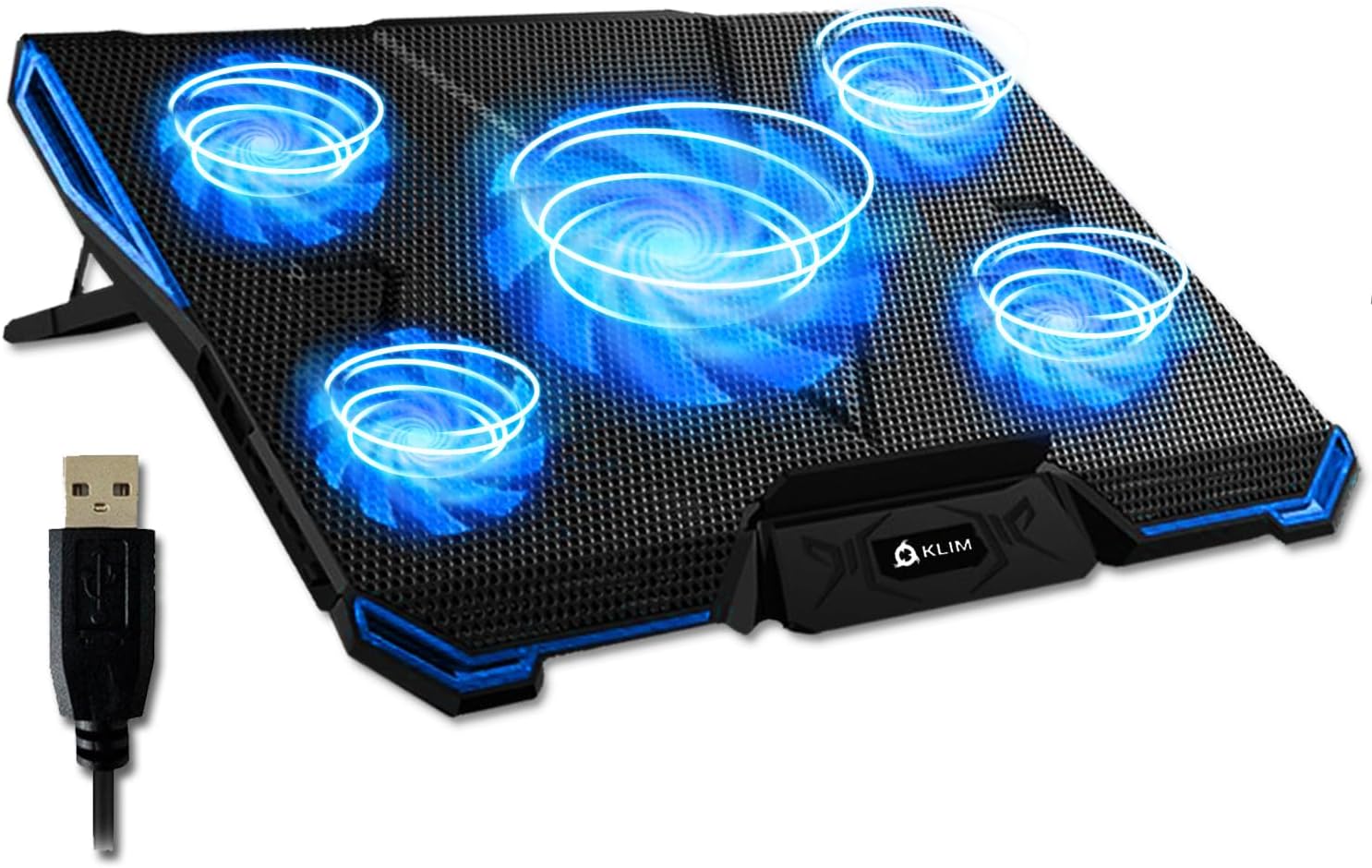
You can think of the KLIM Cyclone as an improved version of the KLIM Wind, which already earned a spot on this list.
Among the main differences, as you can see in the photo, is the number and quality of the fans. In fact, you’ll have:
- four 80 mm fans, capable of spinning up to 2200 RPM;
- a central 140 mm fan that can reach 1200 RPM.
- It also supports laptops with screens up to 18 inches. However, given its performance and cooling, you can also use the cooling stand for gaming laptops.
The color selection is smaller, with only a blue, white, and red version. However, all the advantages of the previous model remain, including the two USB ports and the 5-year KLIM warranty!
Check Current Deals On Amazon Before Prices Change
THE BEST LAPTOP COOLING PADS BY PURPOSE
Laptop cooling pads are very useful in preventing both heat throttling and overheating in laptops.
The table below is a brief showcase of the best laptop cooling pads by purpose:
| PURPOSE OF USE | BEST LAPTOP COOLING PAD | MAIN FUNCTIONS |
| 1. For Gaming | The Liano V12 laptop cooling pad. | – Effective cooling system
– Flexible height stands
– Customise RGB light. |
| 2. Office Use | The Havit HV-F2056 is perfect for this purpose | – Light-weight and portable.
– Comes with an extra USB port. |
| 3. Pocket-friendly | Go for Liangstar laptop cooling pad. | – It has a dust filter
– Good level of compatibility.
|
| 4. For Macbook | The Liano RGB Laptop cooling pad is highly recommended. | – Dust filtering system
– Effective cooling |
Read also: Best Gaming Laptops For Under $2500 ( Tested & Reviewed)
TYPES OF LAPTOP COOLING PADS
There are many types of laptop cooling pads. Here are some of them:
- Active cooling pads
- Adjustable cooling stands
- Passive cooling pads
- Gaming cooling pads
- Slim and portable cooling pads
PROS AND CONS OF ACTIVE COOLING PADS
Like any electronic device, active cooling pads have their ups and downs. Let’s consider a few of them.
PROS:
- Active cooling fans usually have high cooling performance systems.
- They come with compact designs.
CONS:
- High power consumption
- They require high maintenance
- They are quite expensive
- PROS AND CONS OF ADJUSTABLE COOLING STANDS
PROS:
- Improved cooling system that can really lower heat of laptop during heavy use.
- Extra USB ports.
- You can adjust fan speed while working with your laptop.
- Ensure prolonged life span of your laptop.
CONS:
- May require much maintenance and internal cleaning.
- Bulky size.
- High noise level.
- PROS AND CONS OF PASSIVE COOLING PADS
PROS
- Zero noise during use.
- Passive cooling pads requires little maintenance.
- They are relatively affordable.
- Prolonged lifespan.
CONS:
- Passive cooling pads cannot function well in hot environments.
- They cannot be used for high demanding tasks like gaming.
Your choice of the best laptop cooling pad should be based on the purpose of use, be it for work, gaming or everyday use. If you need a cooling laptop for gaming, for example, then your top-pick should be the Liano V12 laptop cooling pad, while, for pocket-friendly choices your top pick should be the Havit HV-F2056. The Havit HV-F2056 is also recommended for office use because of its light-weight and portability.
FAQs On Best Laptop Cooling Pad
- Can I use laptop cooling pads for gaming laptops?
Absolutely! Laptop cooling pads are highly recommended in gaming laptops because they are prone to over-heating and thermal throttling.
- Can a laptop cooling pad, damage my laptop?
No, they cannot. Laptop cooling pads can prolong the life span of your laptop rather than damage it.
- Do cooling pads lower the temperature in CPU/GPU?
Yes, they can. For example, the Liano RGB laptop, has exceptional cooling performance. It cann reduce both the temperature of Central Processing Unit (CPU) and Graphic Processing Unit (GPU) to as low as 12-20°C.
- Will Using Cooling pads drain the battery of my laptop?
Yes, it is possible that using cooling pads can drain the battery of your laptop. But the draining effect is usually minimal especially in the case of a good laptop cooling pad.
- Which should I buy: a vacuum cooler or a cooling pad?
A vacuum cleaner is usually best for laptops that consistently overheat. So, if your laptop often overheats, then you should go for a vacuum cleaner. But if you need a system that would prevent your laptop from overheating, then you should go a laptop cooling pad.
Read also: Best Laptop Power Bank ( Tested & Reviewed)
Conclusion
Understanding your laptop’s cooling requirements, how frequently you use it, and the type of performance improvement you’re looking for are key factors in selecting the finest laptop cooling pad. A dependable cooling pad may significantly lower laptop temperatures, increase CPU/GPU efficiency, and prolong the life of your device—whether you’re a gamer, content creator, or someone who works long hours.
Excellent airflow, robustness, ergonomic comfort, and good value are provided by the models discussed above. One of the best accessories available now is a cooling pad, which guarantees improved protection, quieter operation, and smoother performance for your laptop.
✉️ Don’t Miss a Post!
Join our community of smart readers — get the latest updates, expert insights, and exclusive tips delivered straight to your inbox.
👇 Subscribe now — it’s free!
-

 Gadgets2 months ago
Top Best 4K Security Cameras (Tested & Reviewed)
-

 Gadgets4 months ago
Which Samsung Phone Has The Largest Screen?
-

 Gadgets3 months ago
Why Do My Airpods Keep Disconnecting?
-

 Phones3 months ago
Tesla Phone Price: How Much Does It Cost?
-

 Phones4 months ago
How To Buy More Storage On Iphone
-

 Phones4 months ago
Why Are Satellite Phones Illegal?
-

 Phones4 months ago
How To Record a Phone Call On Iphone
-

 Gadgets4 months ago
How To Unlock a Samsung Phone